Social media is basically our second résumé nowadays. It’s where people look to learn who we are, what we do, and whether we’re worth connecting or collaborating with.
But here’s the catch: sharing those profiles isn’t always as smooth as we’d like. They feel clunky. People had to tap a link, come back, tap the next one, and repeat the process. It’s a digital obstacle that is quietly sabotaging our viewership.
Using a Link Page QR code makes a difference. It neatly houses our entire digital identity in one clean page. Brands and individuals who have used one have seen a 30% increase in their follower rate.
Let’s discuss what makes this a must-have for individuals and businesses seeking to establish a stronger online presence. Plus, let’s learn how to create one using a trusted advanced QR code generator.
What is a Link Page QR code?
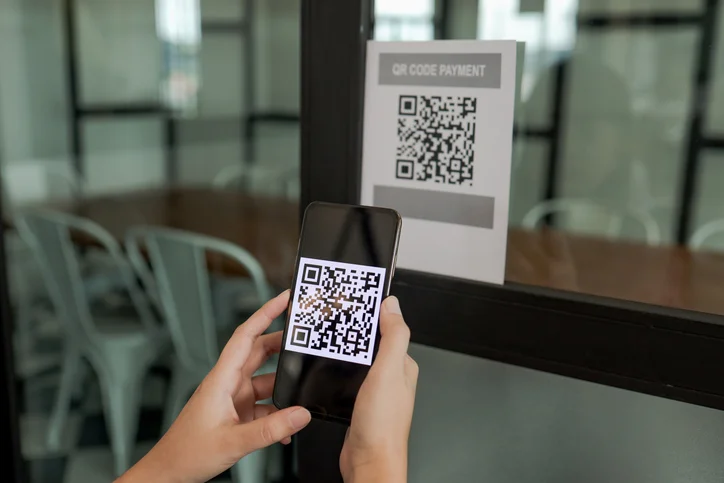
A Link Page QR code is a type of two-dimensional barcode, specifically the Quick Response (QR) code, that stores multiple URLs from social media sites.
Instead of sending each social media link separately, this QR code organizes all our pages on a single landing page. It makes our social profiles super easy for anyone to view.
It also works for e-commerce platforms and delivery applications.
Practical ways to put social media QR codes to work
These QR code ideas for specific niches and industries help our personal brand become easier to explore:
1. Retail and e-commerce
We can add a QR code to our packaging or invoices to make it easy for our customers to access a list of useful links, including our brand’s social media pages, return policies, size guides, and more.
2. Real estate
Our real estate business can benefit from using a multi-QR code generator, too. It’s a software that lets us create a QR code to link to our web pages.
Once created and placed on flyers and posters, the QR code enables our clients to see a list of our social media profiles, ready to be clicked.
They can head straight to our pages and follow us for real-time updates on new listings, price changes, and property posts.
No more searching for old flyers, scanning posters, or waiting around for executives to share details. Everything they need is already at their fingertips.
3. Beauty
We can include QR codes on our beauty and health product packaging, launch flyers, posters, and even on our websites.
When people scan the codes through their premium phones, they’ll immediately see our social media profile links.
If they want to learn more about a particular product of ours, such as how to use it, what to pair it with, or how it looks on different skin tones and body types, they can tap any of these links.
They’ll be taken straight to our official pages. The next thing they’ll do is hit “Follow.”
4. Fashion
Let’s say we are launching a seasonal collection on our online brand. We post most of the announcements on social media.
If we want to grow our followers, we can create one QR code for multiple links and link all our social media profiles to it.
One scan leads customers to every platform we’re active on. They’ll be able to consistently see information about our brand and what we offer to them.
5. Tourism
Simply listing our rental property on Airbnb isn’t enough. To showcase all the amenities, we need to create a series of ads and promote them through Google Ads, social media, or outdoor posters.
Adding a multi-URL QR code on posters specifically helps gather offline interest into online interaction.
It directs people to our property’s social media profiles and website, boosting our engagement and follower count.
6. Technology
Not all QR codes must lead to product descriptions. We can use it to take people directly to our tech company’s social media pages as well.
Placing multiple links in one link QR code makes it easier for our customers to check out and contact us when needed through our profiles or website.
7. Entertainment
Using a QR code for social media provides us with an avenue to showcase our movies, short films, or games to our audience.
People can follow us immediately to view additional information or updates about our work.
How to create a custom link page QR code
A QR code that can handle multiple links is dynamic in nature. Meaning, it’s specially made to carry more information than a typical QR code. It’s also trackable and updatable, allowing us to see how it’s working and change its content when necessary.
We need to use an advanced QR code generator to produce it. Let’s follow the steps below to start creating one.
- Open a social media QR code generator online.
- Choose the “Link Page” or “Social Media”.
- Add all the relevant social media URLs and other necessary details.
- Hit “Generate Dynamic QR Code” and customize the code.
- Test the QR code and download it once it’s good.
Final thoughts
Sharing our social media handles shouldn’t require people to juggle five apps just to see what we bring to the table.
A link page QR code is our secret weapon for boosting our social media engagement. Because it makes the process a whole lot more convenient, our audience can quickly see a fuller picture of us.