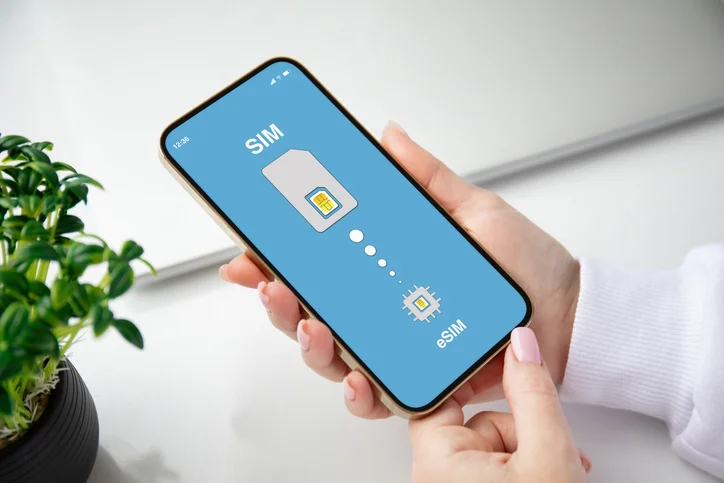
Reliable mobile data has become essential for navigation, bookings, digital payments, and travel updates. Many travelers choose eSIM technology because it removes the need for physical SIM cards and allows quick network access across destinations. Still, connection issues sometimes appear after activation, which can cause confusion and frustration.
Travel data solutions such as Nomad Australia eSIM are designed to offer smooth connectivity for international visitors, yet certain device settings or configuration errors can prevent a successful connection. Most problems come from device configuration, network selection, or installation steps rather than the service itself. This guide explains common reasons an eSIM for Australia fails to connect and outlines practical fixes that restore data access quickly.
Device Compatibility Issues
An incompatible device remains one of the most common causes of connection failure. Although eSIM support continues to expand across smartphones and tablets, some older models still lack the required hardware.
Before installation, confirm that the device supports embedded SIM technology. Many devices include the feature but require activation inside system settings. A disabled eSIM profile often appears as an inactive data option, which prevents a connection.
Software updates also play a key role. An outdated operating system may fail to detect the downloaded eSIM profile correctly. A quick system update can often resolve this problem.
If the device supports multiple eSIM profiles, ensure that the correct one remains active. Sometimes another profile takes priority and blocks the newly installed travel plan.
Incorrect Installation Steps
Installation mistakes frequently cause activation problems. A missed step during setup may leave the eSIM profile incomplete or inactive.
Several points deserve attention during installation:
- The QR code must be scanned through the device’s cellular settings menu rather than the camera app.
- A stable internet connection should remain active during installation.
- The installation process must be completed without interruption.
Signs of an Incomplete Installation
Certain indicators suggest that installation stopped before completion.
- The profile appears in settings but shows “inactive.”
- Mobile data remains unavailable after activation
- Network status displays “no service”
A quick reinstallation often resolves the issue. Removing the profile and installing it again through the original QR code usually restores proper functionality.
Data Settings That Block Connectivity
Mobile data settings often prevent a newly installed eSIM from connecting to a network. Even after successful activation, incorrect configuration may interrupt service.
Check the following settings carefully:
- Mobile data must remain enabled for the eSIM profile.
- The correct data line must be selected as the primary connection.
- Data roaming must remain turned on for international plans.
Travel eSIM profiles rely on roaming agreements to connect with local infrastructure. If roaming stays disabled, the device cannot access the network even though the profile appears active. Another frequent cause involves automatic network selection. When manual network selection remains active, the device may attempt to connect to an unsupported network. Automatic selection usually resolves the issue quickly.
Signal Limitations in Certain Locations
Coverage conditions may also affect connectivity. Remote highways, rural regions, underground stations, and dense building structures can weaken signals.
Temporary signal loss often appears during:
- Long train routes through rural landscapes
- Remote coastal areas
- Underground transit systems
- High-rise buildings with thick concrete structures
A simple restart or relocation often restores signal reception. After moving to an open area, the device typically reconnects within a few seconds. Travelers sometimes assume that installation failed when the real issue relates to signal availability. Patience and a location change often solve the problem without further adjustments.
Network Profile Conflicts
Modern smartphones often store several cellular profiles. When multiple profiles remain active, the device may struggle to determine which network to prioritize. For instance, a device may still prioritize the primary domestic SIM profile even after the new travel profile becomes active. In this situation, data traffic continues to route through the wrong line.
Disable unused profiles temporarily and confirm that the travel eSIM remains selected as the main data line. This step frequently resolves persistent connection problems. Another possible conflict occurs when previous travel profiles remain stored in the system. Removing unused profiles helps the device focus on the correct connection. Some travelers report improved performance after resetting network settings. This action clears outdated configurations and allows the device to rebuild its network connection from scratch.
Simple Fixes That Restore Your Connection
Most eSIM issues require only a few quick adjustments. Before seeking technical support, several troubleshooting steps can restore service.
Quick Troubleshooting Checklist
- Restart the device after installation
- Turn airplane mode on for 30 seconds, then turn it off
- Confirm mobile data remains enabled for the correct profile
- Enable data roaming in cellular settings
- Switch network selection to automatic
When Reinstallation Helps
Occasionally, reinstalling the profile solves persistent activation errors. Remove the current profile from device settings and scan the QR code again through the cellular setup menu. If connection problems continue, check device compatibility and operating system updates once more. Most connectivity issues trace back to configuration steps rather than the eSIM itself.
When configuration settings remain correct, mobile connectivity solutions like Nomad Australia eSIM generally provide stable connectivity across major cities and travel destinations. Minor adjustments in device settings often restore reliable data access without delay.
Australia eSIM connectivity issues usually stem from device settings, installation errors, or temporary signal limitations rather than service failure. A careful review of compatibility, roaming settings, and active data profiles often restores the connection quickly. Travelers who understand these common troubleshooting steps can resolve most issues without delay. With proper configuration, an Australian eSIM provides reliable connectivity across cities, airports, and major travel routes, ensuring smooth access to essential travel services throughout the journey.