We all enjoy good emojis. They’re pictorial, instant, and frequently infinitely more expressive than words. But whereas emojis are an incredibly strong tool for using the power of story in captions, they sometimes don’t mean what you intended, particularly when your content goes global.
As brands and creators expand globally, it’s not about translating words — it’s about translating tone. Emojis play a major role in that tone. What tickles your audience’s funny bone in the US could completely bewilder Indian or Korean viewers. That 😭 emoji you made for ‘I’m dying of laughter’? In some cultures, it’s simply outright sorrow.
The game is high when you’re creating world content, particularly if you’re making an AI photo to video production, a lively, captioned reel. Using platforms like Pippit, you not only obtain effortless video translation, but you also achieve the power to personalize voiceovers, captions, and emoji use so that your message resonates anywhere, in style.
Let’s dissect the emoji guidelines you never knew you had — and how to make your captions culturally literate.
When emoji interpretations go sideways
Believe emojis are universal? Think again. These tiny symbols are more akin to slang: riddled with nuance, tone, and cultural idiosyncrasies. That makes them delightful, but also dangerous if you’re not cautious.
The innocuous 😅 that indicates discomfort
You could use 😅 to comment on ‘that was close’ or ‘lol awkward.’ But in Japanese culture, it’s serious business, usually symbolizing stress or unease. Adding it with a joking one-liner? It could come across as off.
The playful 🙏 that completely shifts tone
To most users, it is ‘🙏thank you’ or ‘please.’ But in certain nations, it’s deeply rooted in religious gestures or formal apologies. That’s a huge tonal shift for something intended to be informal.
The 💀 that’s killing… or actually dead
Gen Z loves using 💀 to show uncontrollable laughter. But some regions see it as dark, inappropriate, or literally about death. Your “I’m dead” joke might turn a fun moment into an awkward one.
Emojis are emotional punctuation. When that punctuation doesn’t match the sentence, the message gets lost — or worse, misunderstood.
How emojis impact translated captions
You’ve dubbed your video into another language — terrific. But what about your emojis? The majority of creators ignore emoji use when they translate captions, even though tone and meaning can change so radically.
Suppose you subtitle a humorous product demonstration with 😂 and 💅 in English. When translated, the humor in the joke may mellow, but the emoji is still bold. Now it looks out of place.
If you’re a maker of ads, this can be particularly crucial. A campaign that’s fun and on-trend in one market may ring tone-deaf in another if emojis are not localized correctly.
This is why synchronizing emojis with cultural context is as important as synchronizing the voiceover with the visuals.
Before you localize, localize your captions
When people look for tools to translate their content, they often rely on a free online video language translator. While that’s great for surface-level changes, it rarely adapts emojis or cultural tone. You’ll get a new language sure but not the local flavor.
Pippit revolutionizes. Not only can you translate text and voiceovers, but you can direct the captions frame-by-frame, tweaking timing, emojis, and delivery, so the message hits right. Let’s take a look at how simple it is to do it all in Pippit.
Caption like a cultural chameleon 3 easy steps with pippit
Pippit makes localizing video content feel like playing. Whether you’re adding jokes, product details, or expressive subtitles, here’s how to keep it perfectly synced and globally fluent.
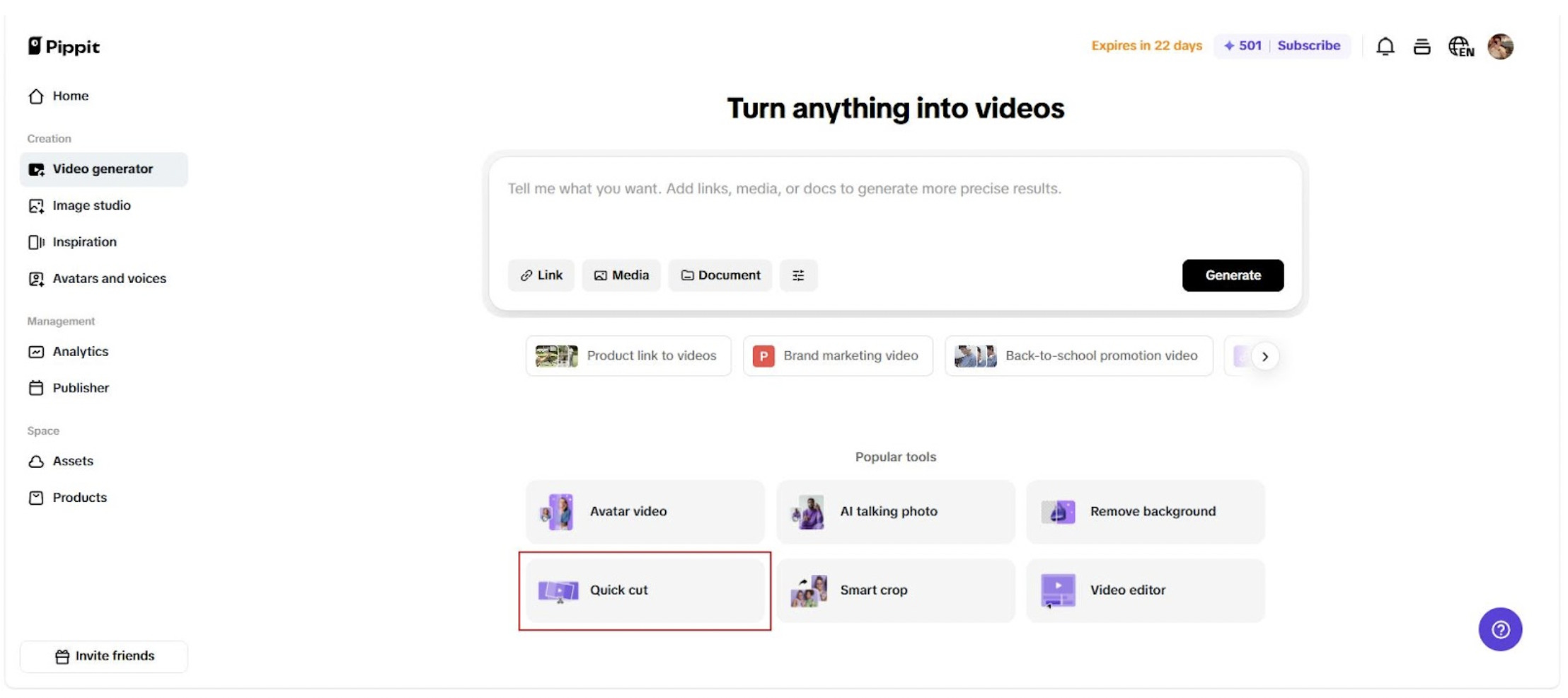
Step 1: Open video generator and quick cut
Start by logging into your workspace and heading to the Video Generator. From the left-hand menu, choose Quick Cut to load the editing studio. This is where all your language magic begins.
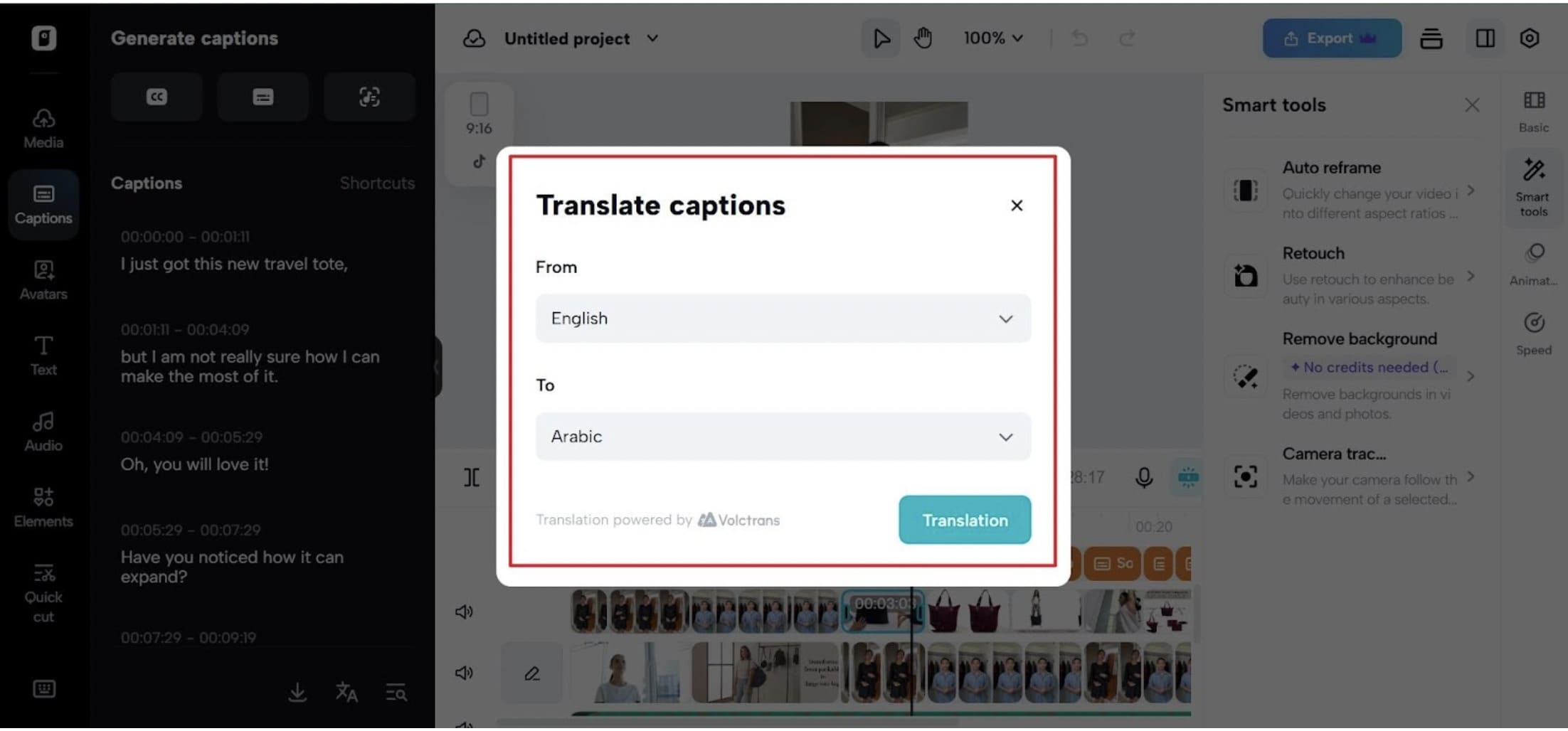
Step 2: Add your video, then auto-caption and translate
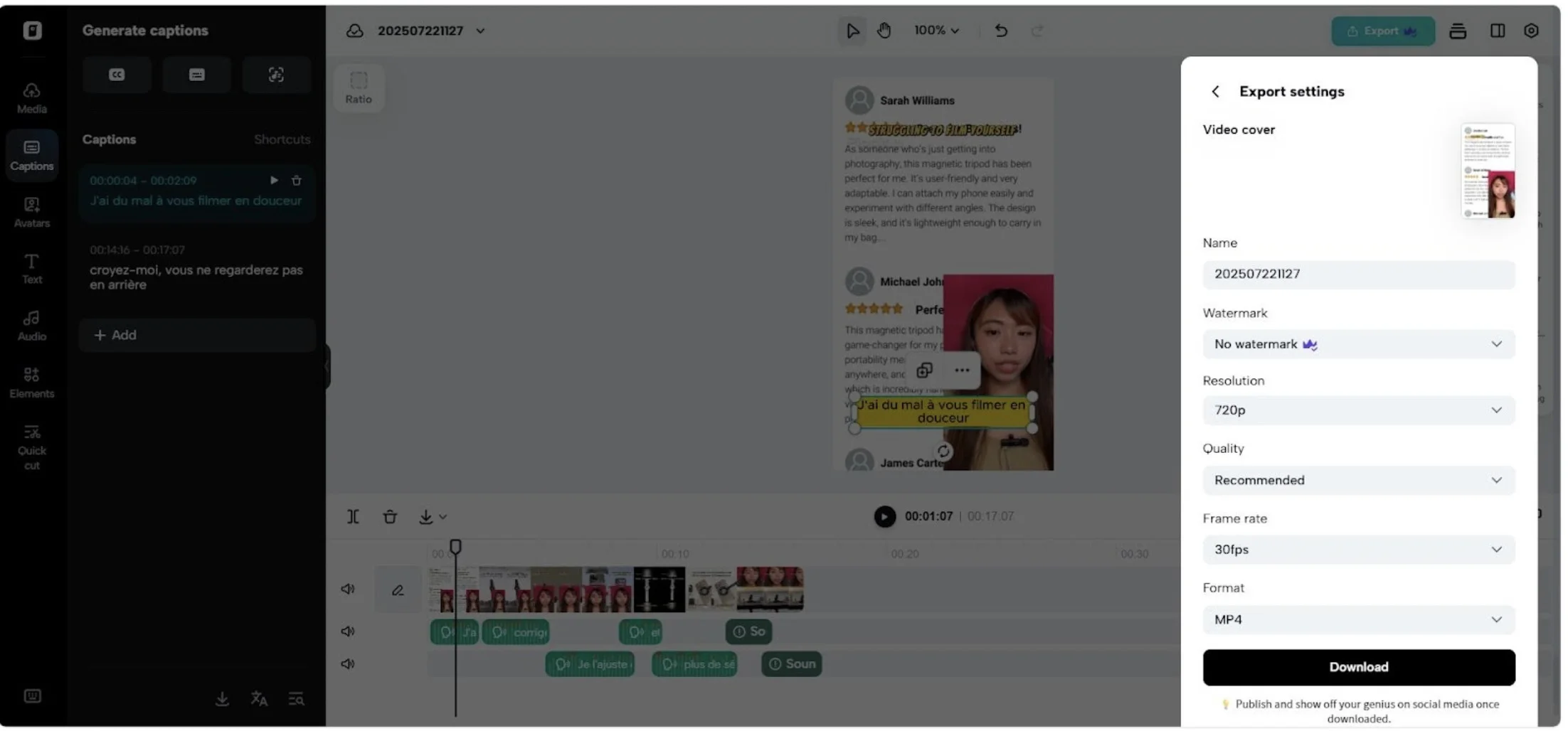
Upload your video file and let Pippit do the heavy lifting. Click Auto Captions to instantly generate subtitles, then hit Translate to convert them into your desired language. It’s fast, clean, and ready for voice.
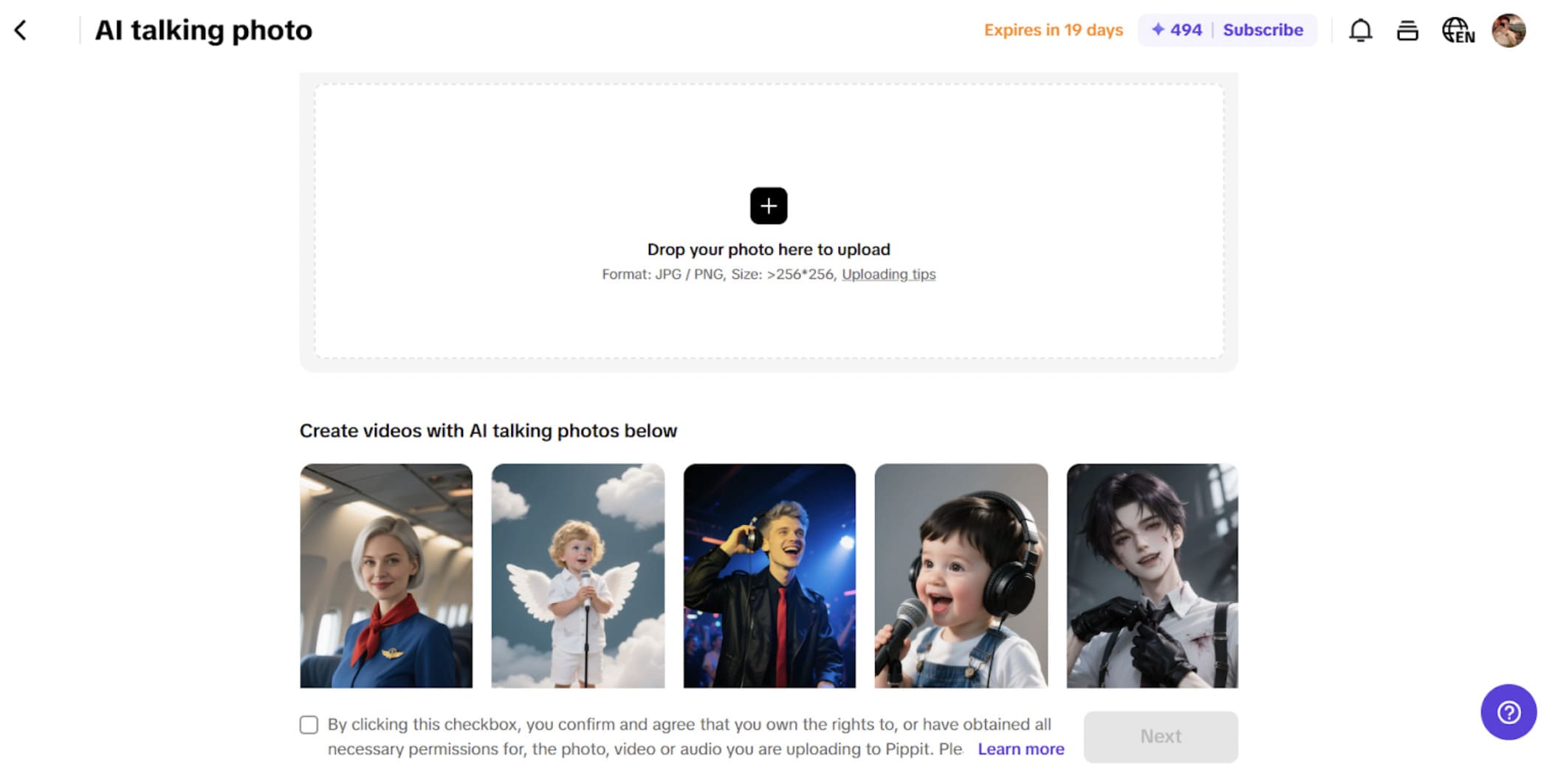
Step 3: Text-to-speech, audio cleanup, and export
Now click Text to Speech and select Apply to All so every translated line is given voice.
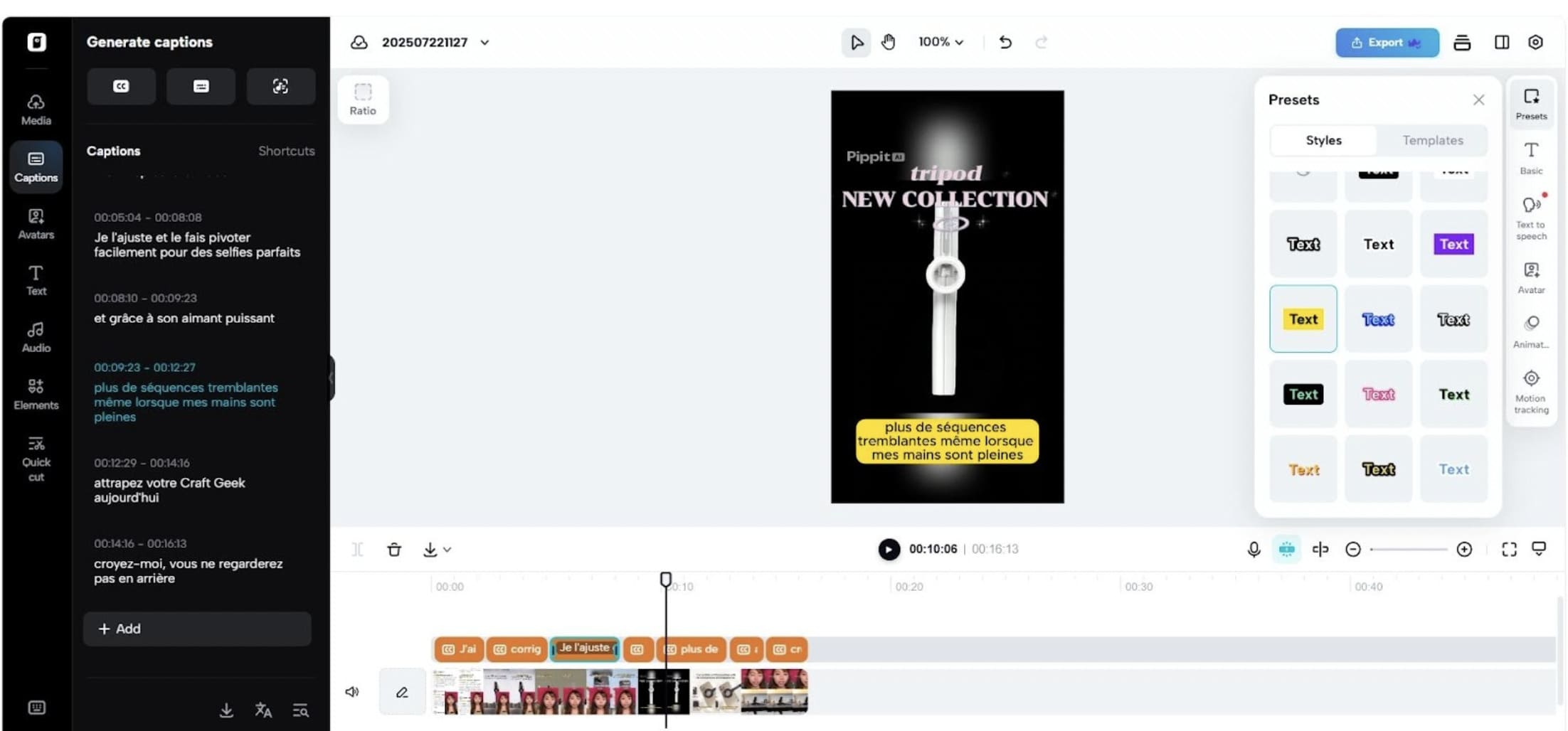 Head to the audio section, separate the original audio, and delete it to avoid overlap. Once your new multilingual version is ready, just hit Export to download or share it with the world.
Emoji control is emotional ad control
Consider emojis as seasoning. Employed appropriately, they add spice. Abused, they taint the dish. Emojis might warm your captions, make them funnier, more human — if only they’re paired with the audience’s taste.
Localization is not about removing emojis, it’s about substituting them with the ones expressing the same thing differently. With Pippit’s ad maker, you’re not guessing what to put where. You’re trying it, editing, and sending your message as intended.
Go from confusing to confident with Pippit
The future of content is global and emoji-literate. You already have a story to tell. Now it’s time to share that story with the world without losing any of its edge.
Pippit allows you to do just that. From transforming content into shareable moments worldwide, to synchronizing subtitles and voiceovers across cultures and languages, it’s the tool that makes your captions work emojis and all.
Get started with Pippit today and let your subtitles communicate in every language, including emojis too.
The photos in the article are provided by the company(s) mentioned in the article and are used with permission.
Disclaimer: This article contains sponsored marketing content. It is intended for promotional purposes and should not be considered as an endorsement or recommendation by our website. Readers are encouraged to conduct their own research and exercise their own judgment before making any decisions based on the information provided in this article.