
When you are looking for a reliable tool to download streaming music to MP3 for offline listening, UkeySoft All-in-One Music Converter will definitely come into your eyes. It combines support for multiple popular streaming music platforms into a single software, making it easy to free up the music collection. In this comprehensive of UkeySoft All-in-One Music Converter, we’ll explore its features, pricing and usage help you decide whether it’s the right music converter for you.
Basic Info About UkeySoft All-in-One Music Converter
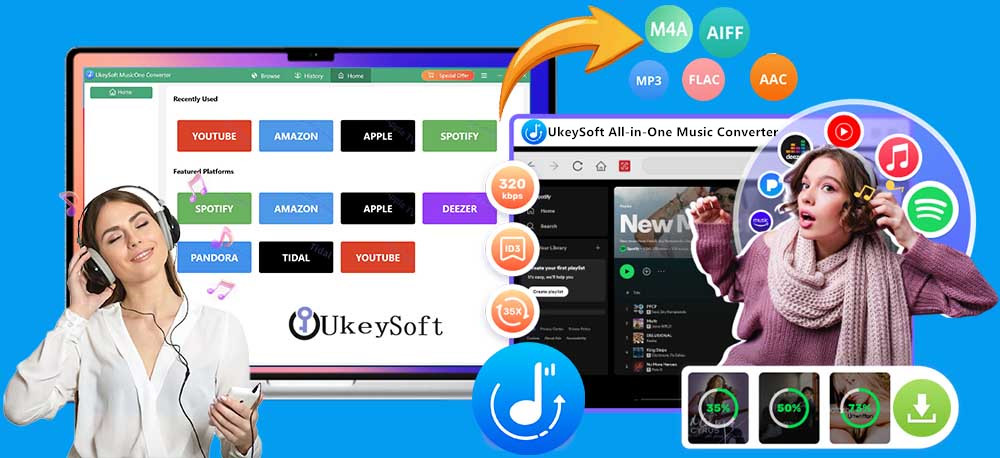
UkeySoft All-in-One Music Converter, also named UkeySoft MusicOne Converter, is a feature-rich music downloader, converter, player, and manager for Windows and Mac. It lets you download and convert songs from Spotify, Apple Music, YouTube Music, and other popular streaming platforms. This tool has a built-in official web player, making it easy to access, browse, search, stream, choose, and download streaming music content. After conversion, you can keep the downloaded music permanently, and enjoy seamless playback on any device. It includes seven streaming music converters with the same coding techniques and powerful functions.
UkeySoft Software Lineup
UkeySoft MusicOne Converter is designed to download music from Spotify, Apple Music, Amazon Music, YouTube Music, Tidal, Pandora Music, and Amazon Music in only one program, without complicated steps to switch between platforms, without install official streaming music app. The software has a built-in web music player for each platform, just log in to your music account in the built-in web music player, browse your library, select tracks or playlists, and start music conversion. There is no need to install the official streaming music app. UkeySoft MusicOne Converter including 7 music converters:
- UkeySoft Spotify Music Converter
- UkeySoft Apple Music Converter
- UkeySoft Amazon Music Converter
- UkeySoft Deezer Music Converter
- UkeySoft Tidal Music Converter
- UkeySoft YouTube Music Converter
- UkeySoft Pandora Music Converter
Highlights
Ease of Use: 4.8/5 in TrustPilot Review
Success Rate: 98%
Streaming Ads Removal: Yes
Supported Music Content: Single, playlist, album, artist, podcast, audiobook, radio station, or MV (YT only)
Output Format: MP3, M4A, AAC, FLAC, WAV, AIFF
Output Quality: 256kbps, 320kbps, Audio Bitrate, 512kbps, 640kbps
Lossless Sound Quality: Yes
ID3 Tags: HD Cover, song title, artwork, album name, artist, release year, genre, track number
Save Lyrics: Yes, text or LRC format
Download Speed: 36X faster
Supported Platforms: Spotify, Apple Music, Amazon Music, Deezer, Tidal, YouTube Music, Pandora Music
Supports Languages: English, Deutsch, Español, Italiano, Français, Japanese, Korean, Simplified Chinese, Traditional Chinese, Dansk, Čeština, Bahasa Indonesia, Türkçe, Malayu, Polski, Português, etc.
UkeySoft’s Price and Plan?
Indeed, UkeySoft offers a free trial version for all users, allowing you to download and convert the first three minute of each song. To unlock all features and convert songs without limitations, you can upgrade to a monthly, yearly subscription, or lifetime license. All UkeySoft products are independent, so you can purchase only the converter you need. If you want access to multiple music platforms, the All-in-One plan is also available and can save you up to 50%!
Individual Music Converter for 1 Platform:
- 1-Month Subscription: US$14.95
- 1-Year Subscription: US$59.95
- Single Lifetime Plan: US$89.95
All-in-One Music Converter for 7 Platforms:
- 1-Month Subscription: US$55.95/Month
- 1-Year Subscription: US$129.95
- Single Lifetime Plan: US$159.95
Features Review of UkeySoft All-in-One Music Converter
UkeySoft software features advanced technologies that simplifies and boosts the music conversion from from streaming services. In addition to its seven products, UkeySoft offers a range of powerful features that makes it stand out from streaming music converters. Below are the distinguishing features of UkeySoft:
1. Download Streaming Music in Lossless Audio Quality
UkeySoft All-in-One Music Converter downloads streaming music content in original audio quality, then same as you can download from Apple Music, Spotify, Amazon Music, Tidal, Deezer, YouTube Music, Pandora Music. And UkeySoft allows you to customize output quality (selectable 128kbps, 192kbps, 224kbps, 256kbps, 320kbps, 448kbps, 512kbps, 640kbps), output cover quality, volume, and other output settings before downloading, delivering you a Premium listening experience.
2. Multiple Output Formats
UkeySoft MusicOne Converter provide multiple audio formats to download and export your music files. It enables you to convert streaming music to MP3, AAC, M4A, WAV, FLAC, or AIFF, which can be transferred and played on generic MP3 players, tablets, USB drives, SD card, car players, and more. Enjoy your favorite tracks, artists and playlists in your own devices or players. Say goodbye to streaming music apps, free up your music library and build your local offline music collection.
3. Download Any Music Content, with Any Subscription Plan
With UkeySoft All-in-One Music Converter, you can download any music track, playlist, album, artist, podcast, audiobook, radio station, or even music video (YT only), whether you’re using a free trial, ad-supported, or ad-free account. Even after your free trial or subscription expires, the downloaded music files will remain intact, ensuring you can always access your favorite music tracks offline locally. In our test, we logged into a Spotify free account, and UkeySoft did indeed allow to download Spotify music to MP3 at 320kbps high quality!
4. 36X Lightning-Fast Download Speed & Batch Download
Powered by advanced hardware acceleration, UkeySoft All-in-One Music Converter delivers a lightning download speeds of up to 36X faster. Unlike traditional recorder or online service require manual setup, its batch conversion feature lets you download multiple songs, albums, or entire playlists at once. During testing, a 50-song playlist took just 5 minutes to convert, saving much time and effort. You can also enable “Sleep Mode” in UkeySoft’s settings, allowing the conversion to continue without keeping you at your computer.
5. Preserve Original ID3 Tags, Metadata, and Lyrics
Another great feature of UkeySoft All-in-One Music Converter is its ability to detect and preserve all original ID3 tags, metadata, and lyrics during conversion. You can preset output file names using ID3 tags, such as song title, artist, and album, to keep your music library well organized. For Spotify users, UkeySoft also lets you download and save Spotify lyrics as LRC or TXT files, so you can easily read the lyrics while playing Spotify songs in other music players.
6. Better Local Music Playback and Management Than Expected
We also noticed that the software includes several practical tools hidden inside the “History” section, including a music player, music manager, etc. The built-in music player lets you preview and play the downloaded tracks instantly in the software, while the music manager helps organize your library by artist, album, or download date. UkeySoft makes it easy to download, organize, and enjoy your offline music collection.
How to Download Spotify Music to MP3 with UkeySoft?
Here’s how to download and convert Spotify music to MP3 with UkeySoft All-in-One Music Converter.
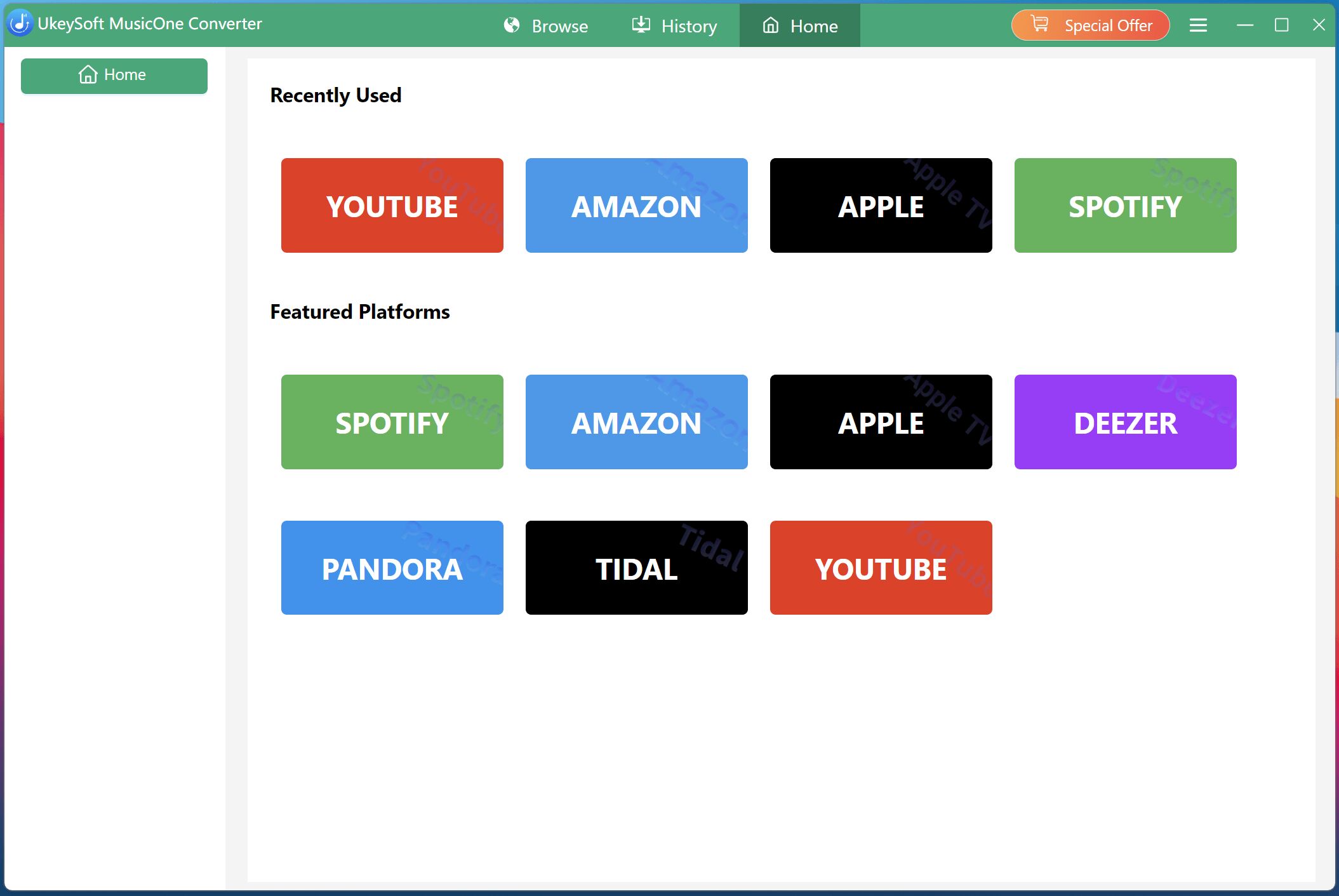
Step 1: Launch UkeySoft and Select a Service
Download UkeySoft All-in-One Music Converter from its official website to your Mac, Windows PC, or laptop. From the main interface, select Spotify or other supported streaming music services.
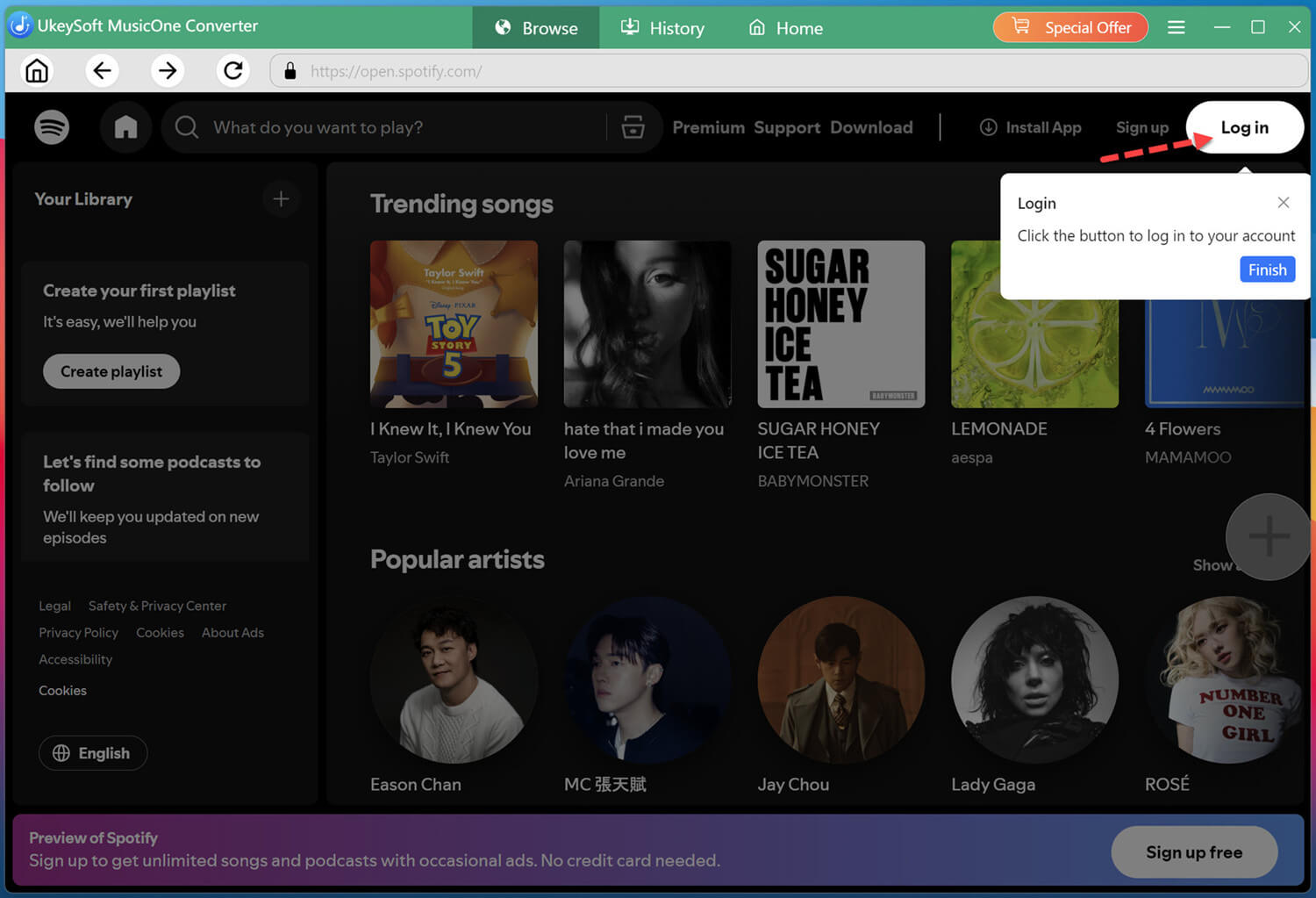
Step 2: Log In to Your Music Account
Sign in to your Spotify Free, ad-supported, or Premium account through the built-in web player. It will automatically loads your Spotify library.
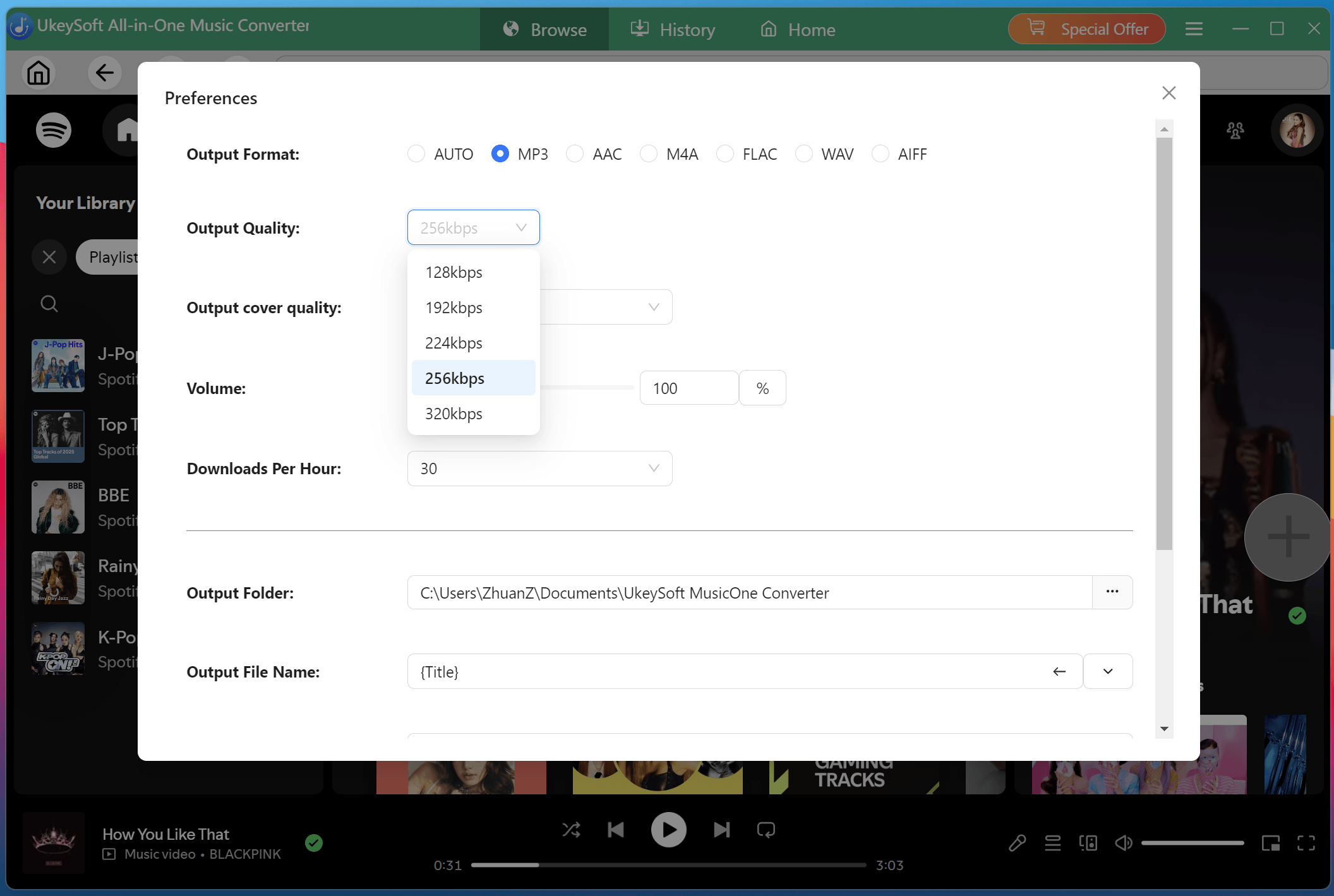
Step 3: Customize the Output Settings
Click “Menu” icon and choose “Preferences” to open the settings window. Here, you can choose the output format, output quality, output cover quality, output folder, output file naming, and enable “Save lyrics” options.
Step 4: Browse and Add Songs, Albums, or Playlists
On the home page, you can search for a specific song, album, artist, playlist, podcast, or audiobook. Open it, and click the “+” icon to add it for conversion.
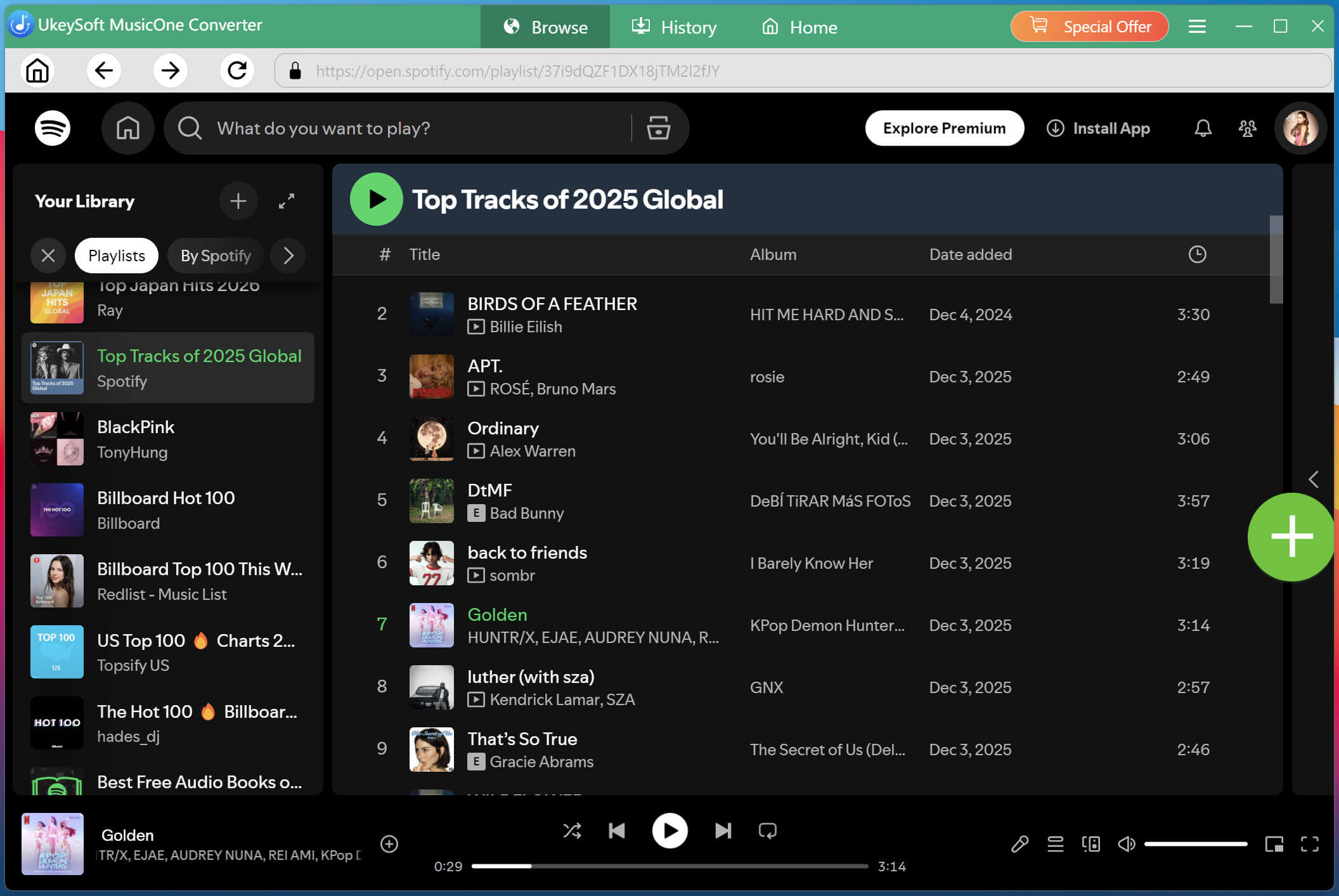
Step 5: Begin Downloading Spotify Songs to MP3
After selecting your songs, click “Convert” button. UkeySoft will process the selected Spotify songs and save them in your chosen folder.
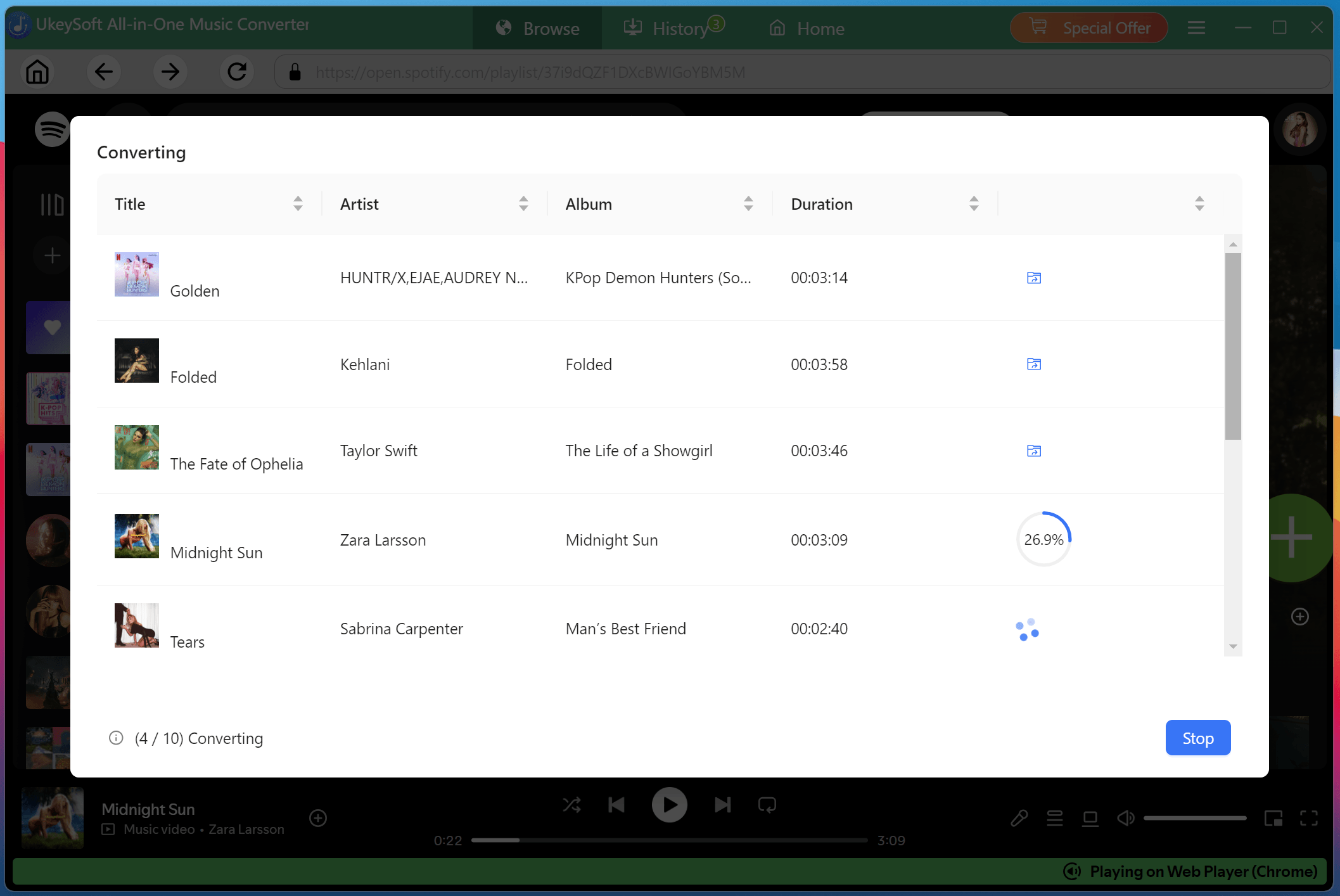
Step 6: Get the Downloaded Spotify Songs
Once the conversion is complete, click the “Folder” icon to quickly locate the downloaded Spotify music files on your computer.
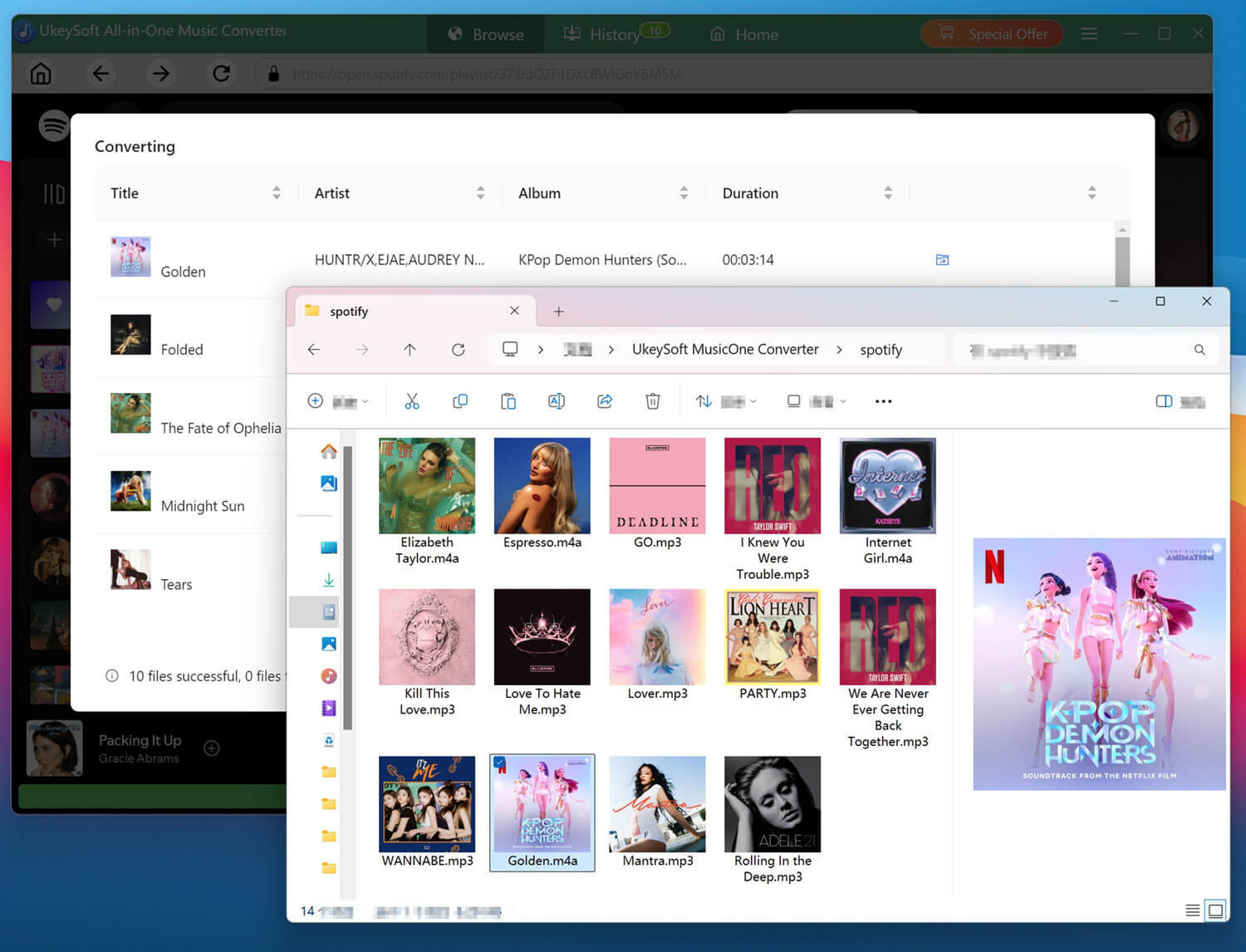
Step 7: Listen to Music Offline
Go the “History” section, choose any Spotify song, hit on the “Play” icon to enjoy it with the built-in music player!
FAQs About UkeySoft All-in-One Music Converter
Is it Safe to Use UkeySoft All-in-One Music Converter?
Yes. UkeySoft All-in-One Music Converter is 100% safe and reliable to use. It works as a desktop music conversion tool without requiring jailbreak or other risky modifications. The software features a clean, user-friendly interface with no viruses, intrusive ads, or malware. Meanwhile, UkeySoft also respects your privacy without collecting personal information. No worry, it won’t affect your streaming account or result in bans or penalties.
Is it Legal to Convert Streaming Music to MP3?
Yes. UkeySoft is a desktop music conversion tool, designed to help you download and convert streaming music content for personal entertainment. However, sharing or redistributing copyrighted music without permission is generally prohibited. Always check the applicable laws and service terms in your region.
Is it Possible to Download Music with an Ad-supported Account?
Yes. UkeySoft All-in-One Music Converter supports downloading music from streaming platforms even with an ad-supported or a free trial account. You can log in to your free account in UkeySoft’s built-in web player, it will automatically load the official music library, then you can select any music content to download. Some music platforms (like Apple Music, TIDAL) do not offer ad-supported plans, so a Premium subscription is required for downloading.
Summary
In conclusion, UkeySoft All-in-One Music Converter is a solid choice if you want to free up your music and keep your music collection. It supports multiple popular music platforms, offers fast batch conversion, flexible output formats, and works with any type of music accounts. With UkeySoft, you can download MP3 music from streaming platforms with lossless audio quality. Of course, you can start with the free trial to explore its features before deciding whether to purchase a license.
Disclaimer: This article contains sponsored marketing content. It is intended for promotional purposes and should not be considered as an endorsement or recommendation by our website. Readers are encouraged to conduct their own research and exercise their own judgment before making any decisions based on the information provided in this article.