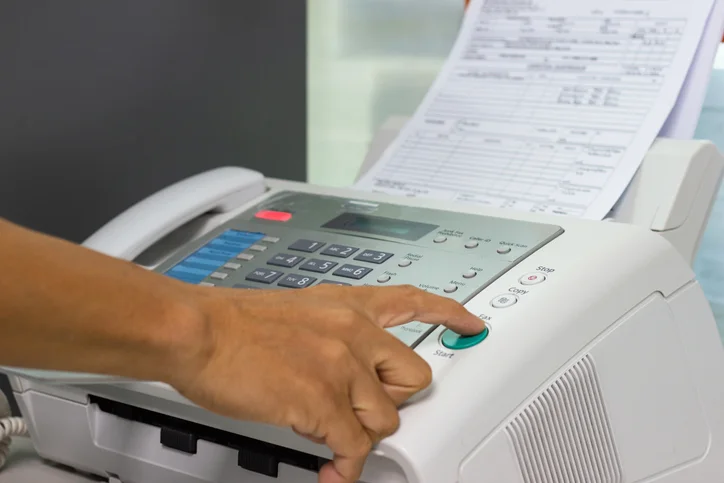
Faxing still supports medical releases, court forms, loan packets, housing files, and signed authorizations. Many households no longer have a machine, so they must plan access carefully. The best choice depends on document sensitivity, deadline, receipt needs, page count, and total cost. A careful comparison of local counters, office equipment, community desks, libraries, and online tools helps people send records without confusion or avoidable delays.
Start With Local Access
Local counters help when a document must move today. Shipping stores, office supply desks, hotels, libraries, and print shops may offer machines with staff support. A search for “fax near me” helps confirm hours, pricing, page limits, and receiving options before anyone leaves home. That check prevents wasted travel and missed deadlines.
Check Store Details
Public fax services differ by location. Some charge per page, while others add long-distance fees or cover-sheet costs. Many handle outgoing pages only. A few can receive documents under a temporary pickup name. Call first to confirm hours, payment types, paper sizes, and printed receipts. Those details matter when forms are due at a clinic, court, school, lender, or agency.
Use Work Resources
Workplace multifunction printers may include fax capability. This route suits approved business records, especially when a team already uses secure document handling. Personal files require caution because shared trays can expose names, diagnoses, account numbers, or signatures. Employees should follow company policy, add a cover sheet, quickly remove originals, and keep confirmation pages with the related file.
Ask Community Offices
Community centers, nonprofit agencies, housing offices, and public service desks sometimes help residents send paperwork. Availability depends on staffing, program rules, and appointment schedules. These offices often assist with benefits forms, rental documents, medical referrals, or case records. Calling ahead is essential. Some sites restrict page totals, limit service to enrolled clients, or reserve fax support for urgent administrative needs.
Consider Libraries
Libraries remain valuable where commercial counters are distant or costly. Many branches provide copying, scanning, printing, and fax support through service desks or self-service equipment. Fees are usually posted onsite or listed on branch pages. Privacy depends on room layout and staff involvement. Anyone sending health, tax, or legal papers should ask how pages get handled before transmission.
Try Online Platforms
Online fax tools remove the need for a physical machine. A sender uploads a file, enters the receiving number, and then sends it through a secure portal or mobile app. This approach fits caregivers, remote workers, small practices, and travelers. It can also provide saved confirmations, searchable records, device access, and easier repeat sending than a public counter.
Compare Costs
The cheapest page rate is not always the lowest real cost. Travel, parking, printing, waiting, and return visits can add up quickly. A store counter may suit one form. Regular users often need an online plan with predictable limits. Businesses should estimate monthly pages, inbound volume, user seats, retention needs, and receipt requirements before choosing a service.
Protect Private Documents
Faxing often involves protected or sensitive records. Medical charts, tax returns, contracts, identity documents, and benefit forms need careful handling. Public counters may require staff contact with pages, which reduces control. Online accounts can offer password access, activity logs, and private storage. Avoid public wireless networks during uploads. Store receipts safely, and shred extra copies when no longer needed.
Use Cover Sheets
A cover sheet helps route pages correctly. It should list the sender, the recipient, fax number, page count, and a brief purpose. Keep sensitive details out of the note field. If a page is missing, the count helps both offices quickly identify the problem. Shared machines still rely on clear labels because several departments may use one line.
Prepare Files First
Preparation prevents rejected transmissions. Forms should be complete, signed, and easy to read. Fold marks, shadows, faint ink, or tiny print can make pages unusable. Digital files should use common formats, such as PDF or image formats. Arrange pages in order before sending. A quick preview can catch blank scans, sideways pages, or cropped signatures.
Keep Proof
Confirmation records matter. A receipt usually shows date, time, destination number, page total, and delivery status. Keep that proof until the receiving office confirms processing. For medical, legal, financial, or housing matters, store the receipt with the original document. Online platforms may provide downloadable confirmations that serve the same purpose as a printed report.
Match Method To Need
The right method depends on urgency, privacy, frequency, and support needs. A nearby counter works for rare, simple paperwork. A library may fit tight budgets. Workplace equipment suits approved for business use. Community offices can help with service-related forms. Online faxing supports repeated sending, remote access, and stronger record control. Clear pages, timely delivery, and privacy should guide every choice.
Conclusion
Convenient faxing comes from matching the document to the right access point. Local counters, libraries, workplaces, community desks, and online tools each solve different problems. People should compare hours, costs, privacy, receipts, and repeat-use value before sending anything sensitive. With complete files, readable scans, careful handling, and saved confirmation records, faxing can remain controlled, practical, and dependable without owning a dedicated machine.
Disclaimer: This article contains sponsored marketing content. It is intended for promotional purposes and should not be considered as an endorsement or recommendation by our website. Readers are encouraged to conduct their own research and exercise their own judgment before making any decisions based on the information provided in this article.