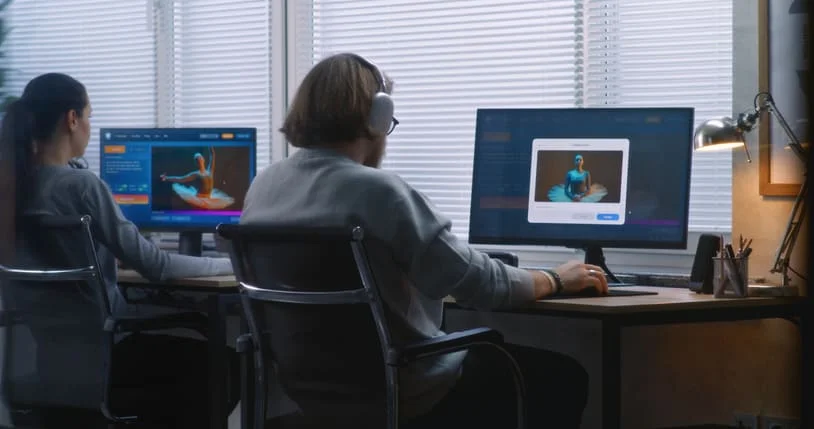
AI dance tools let brand teams compare movement, characters, and visual directions before committing budget to a full video production.
AI dance generators help companies test a branded video idea before approving a shoot, animation build, or large post-production budget. Their strongest business use is not replacing a production team. It is turning a brief into visible options so decision-makers can compare rhythm, character treatment, visual tone, and feasibility. The eight tools below support prototypes ranging from music-led edits to controllable character animation.
What Makes an AI Dance Prototype Useful to a Brand?
A useful prototype answers a commercial question. Can the movement express the campaign? Does a mascot remain recognizable while dancing? Can the visual treatment hold together across shots? Otherwise, the test is merely an effect demo.
Before choosing software, define the fixed elements: audio, subject, brand colors, audience, and placement. Then decide what can change. One team may compare choreography styles; another may keep the movement fixed while testing different worlds. This turns an AI dance video prototype into evidence for creative review rather than a substitute for strategy.
The list is organized by the question each platform can help answer. Freebeat and PixVerse establish the first concept. Viggle, DeepMotion, and Kling AI explore control over performers and motion. Runway, Luma, and Pika help a team extend, compare, and polish the strongest direction.
Which Tools Should Teams Test First?
The first round should establish whether the concept works. Produce a music-led version, then test the setting around it. These steps give stakeholders something coherent to review before specialist animation begins.
Freebeat
The Freebeat ai dance generator is a logical starting point when a soundtrack should drive the performance. It turns music and movement into a viewable first cut, allowing a team to judge pacing, energy, and the overall idea without choreographing every beat.
Use the output as a discussion object. Mark what feels on-brand and whether the concept suits a product reveal, event screen, creator partnership, or internal pitch. This creative concept testing works best when the team records decisions instead of simply generating more variations.
PixVerse
Once the musical premise works, the next question is where the performance belongs. PixVerse’s AI Video Generator can explore opening images, environments, transitions, and supporting shots before a designer commits to a full treatment.
Change one visual variable at a time. If color, location, camera style, wardrobe, and lighting all move together, reviewers cannot tell what improved the concept. PixVerse follows Freebeat because it develops a world around an established rhythm.
Which Tools Give More Control Over Characters and Motion?
After the initial direction survives review, teams can test the performer. The next three platforms move from character transfer to editable 3D motion and broader scene generation. Each adds control but demands stronger source material.
Viggle
Viggle is useful when the central question is whether a specific character can carry a reference performance. Its motion-transfer workflow can apply movement from a source clip to a mascot, illustrated spokesperson, or recurring digital figure. This helps a brand compare character choices without filming every option.
Use a short, unobstructed reference. Check hands, feet, clothing, facial stability, and silhouette before extending the sequence. The transfer still fails if the character stops being recognizable.
DeepMotion
When a two-dimensional test is too limiting, DeepMotion converts recorded movement into editable animation data. That makes it appropriate for a 3D character animation test involving a virtual spokesperson, game asset, or mascot that may need to appear from several camera angles.
Animators can correct poses, adjust timing, and reuse the motion in a larger pipeline. The prototype tests whether the movement can survive professional refinement.
Kling AI
Kling AI fits the stage where a team wants to see the character inside a more complete narrative shot. It can explore entrances, wider environments, product-adjacent action, and camera movement that a basic motion test cannot show.
Use it to answer one question, such as whether the dancer and product can share a composition. Short clips are easier to compare than sequences that change style in every shot.
Which Platforms Expand and Polish a Winning Direction?
The final group should receive an approved concept. Their role is to extend coverage, test treatments, and assemble a stronger proof of concept—not restart the brief.
Runway
Runway combines generation and editing functions, which makes it useful for an AI-assisted video production pass. Teams can clean selected shots, test treatments, and bring several experiments into a more consistent edit. Match contrast, color, subject scale, and safe areas for brand copy before presenting the prototype to leaders.
Luma
Luma is suited to testing spatial continuity and camera behavior around an approved visual idea. It can help create an establishing shot, a connecting move, or an alternate angle that shows whether the chosen world can support more than one isolated image.
Pika
Pika works well for short variations and transformation-led moments. It can test a transition, product reveal, or stylized accent without rebuilding the whole sequence. Used selectively, these experiments add range while protecting the brand motion system already established.
How Should Leaders Decide What Moves Into Production?
The best-looking prototype is not automatically the safest investment. A review should score the direction against criteria that production, brand, legal, and marketing teams can understand together.
| Criterion | Question | Advance when | Warning sign |
| Brand consistency | Does it preserve recognizable cues? | Music, color, and character align | Identity feels generic or conflicting |
| Motion quality | Does movement remain credible? | Body, contacts, and timing stay stable | Drift or artifacts distract |
| Editability | Can specialists refine it? | Motion or shots can be adjusted | Only a locked render remains |
| Rights readiness | Can the team document every input? | Terms, likeness, and music rights are clear | Permissions or source records are missing |
Require evidence for each score so novelty does not win over clarity. Also document model terms, source files, likeness permissions, music rights, and material that must be recreated.
What Comes After the Prototype?
A winning prototype becomes a production brief, not an automatic final asset. Preserve the approved rhythm, character logic, palette, and camera language, then identify which elements need traditional shooting, licensed assets, animation cleanup, or legal review. This handoff is where experimentation becomes operational value: leaders gain a clearer scope, creative teams receive fewer contradictory notes, and budgets move toward a direction that has already been tested rather than an idea that exists only in a presentation.
Disclaimer: This article contains sponsored marketing content. It is intended for promotional purposes and should not be considered as an endorsement or recommendation by our website. Readers are encouraged to conduct their own research and exercise their own judgment before making any decisions based on the information provided in this article.