

When you need to convert an OST file to PST, the right approach depends on factors such as file size, accessibility, privacy requirements, and where you need to use the converted data.
An online OST to PST converter can be useful when you need a quick conversion without installing Outlook or additional software. A desktop solution like Stellar Converter for OST will be more suitable for larger mailboxes, multiple files, or situations where you need more control over the conversion process.
Why Convert an OST File to PST?
An OST file is associated with an Outlook profile and is commonly used to store a local copy of mailbox data. In some situations, you may need to access that data independently of the original Outlook profile or Exchange/Microsoft 365 environment.
Converting OST to PST can be useful when:
- You need to access mailbox data outside the original Outlook profile.
- An Outlook profile is no longer available.
- You want to migrate mailbox data to another Outlook profile.
- You need to retain emails and other mailbox items for future access.
- You need to move mailbox data to another system or Microsoft 365 environment.
The best conversion method depends on the size and condition of the OST file and what you plan to do with the converted data.
Is an Online OST to PST Converter Enough?
An online OST to PST converter can be a convenient option when you want to convert a file without installing desktop software.
The process generally involves uploading the OST file, starting the conversion, previewing the mailbox data, and downloading the resulting PST file.
An online option may be suitable when:
- You want a quick conversion.
- You do not want to install additional software.
- You are working with a relatively manageable OST file.
- You only need to convert a single file.
- You want to preview the mailbox data before saving it.
However, online conversion may not be the best choice for every situation. For larger mailboxes, multiple OST files, or advanced conversion requirements, a desktop tool can provide more flexibility.
How to Convert OST to PST Online
The online conversion process is generally straightforward and does not require Outlook to be installed.
1. Open an Online OST to PST Converter
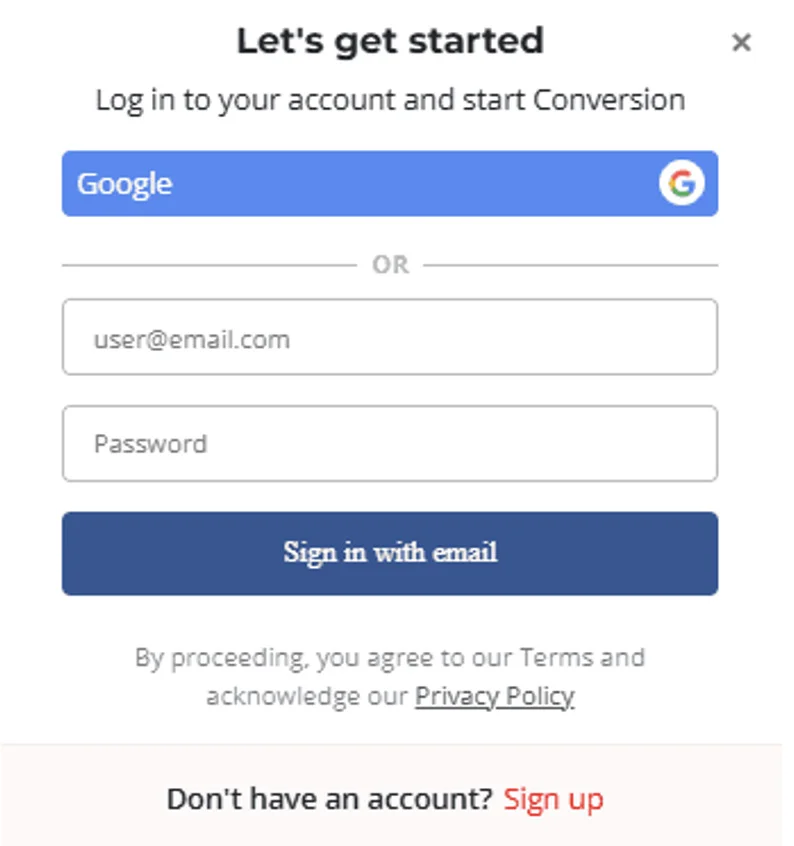
Open a reliable online OST to PST conversion service in your web browser. Since the process is browser-based, there is generally no need to install Outlook you can directly login to get started with the conversion.
2. Upload the OST File
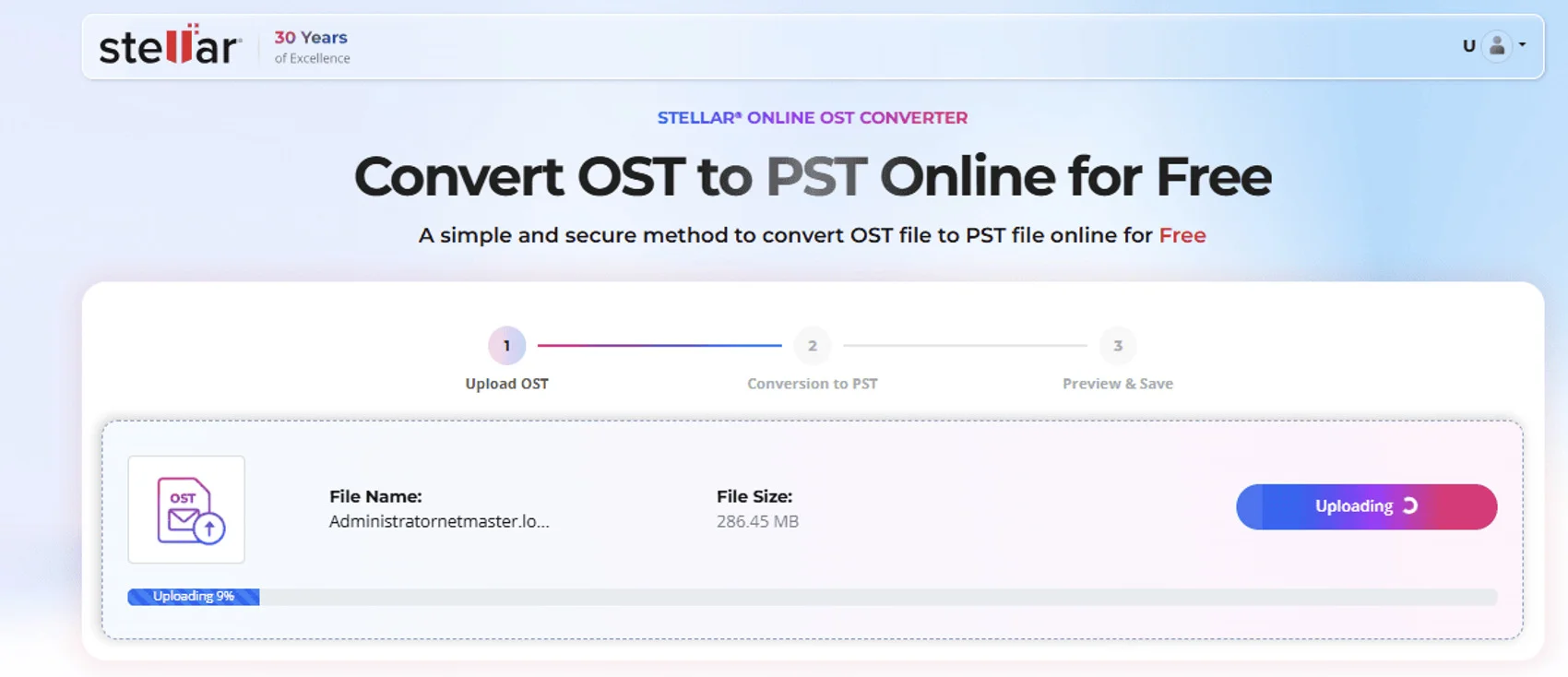
Select the OST file you want to convert and upload it to the online converter.
Before uploading, check the service’s supported file size and data-handling policies, particularly if the mailbox contains sensitive business information.
3. Start the Conversion
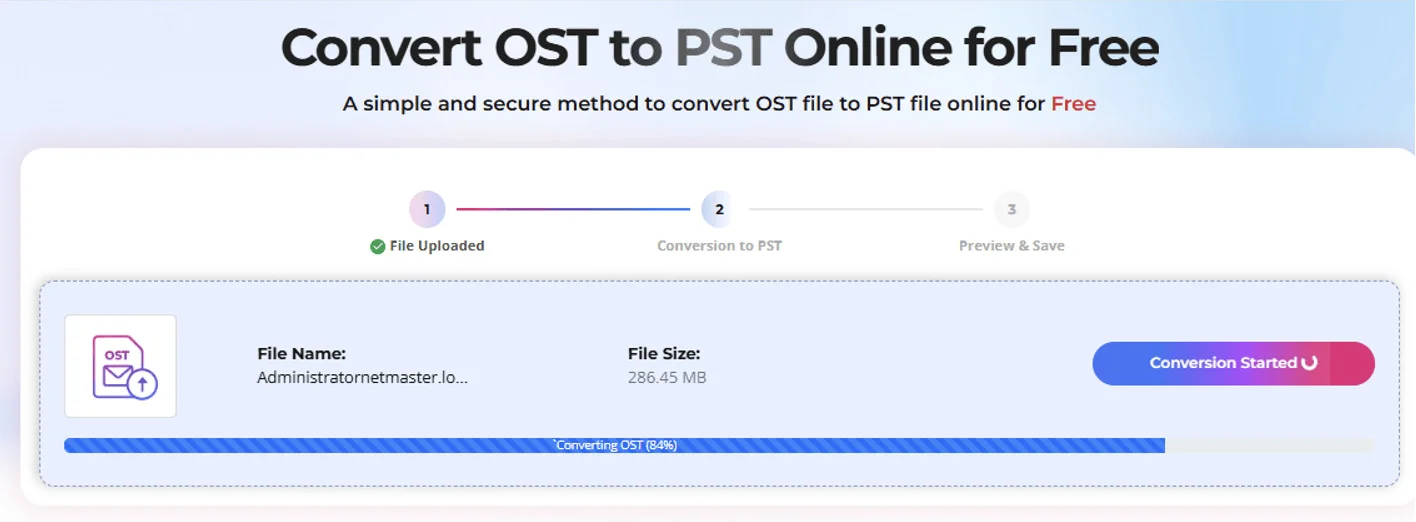
Once the OST file has been uploaded, start the conversion process. The service will process the mailbox data and convert it into a format that can be saved as a PST file.
4. Preview the Converted Data
After conversion, Stellar Online OST to PST Converter provides an HTML preview of the converted mailbox, showing the folder structure and hierarchy. This lets you review the available mailbox structure before downloading the converted PST file.
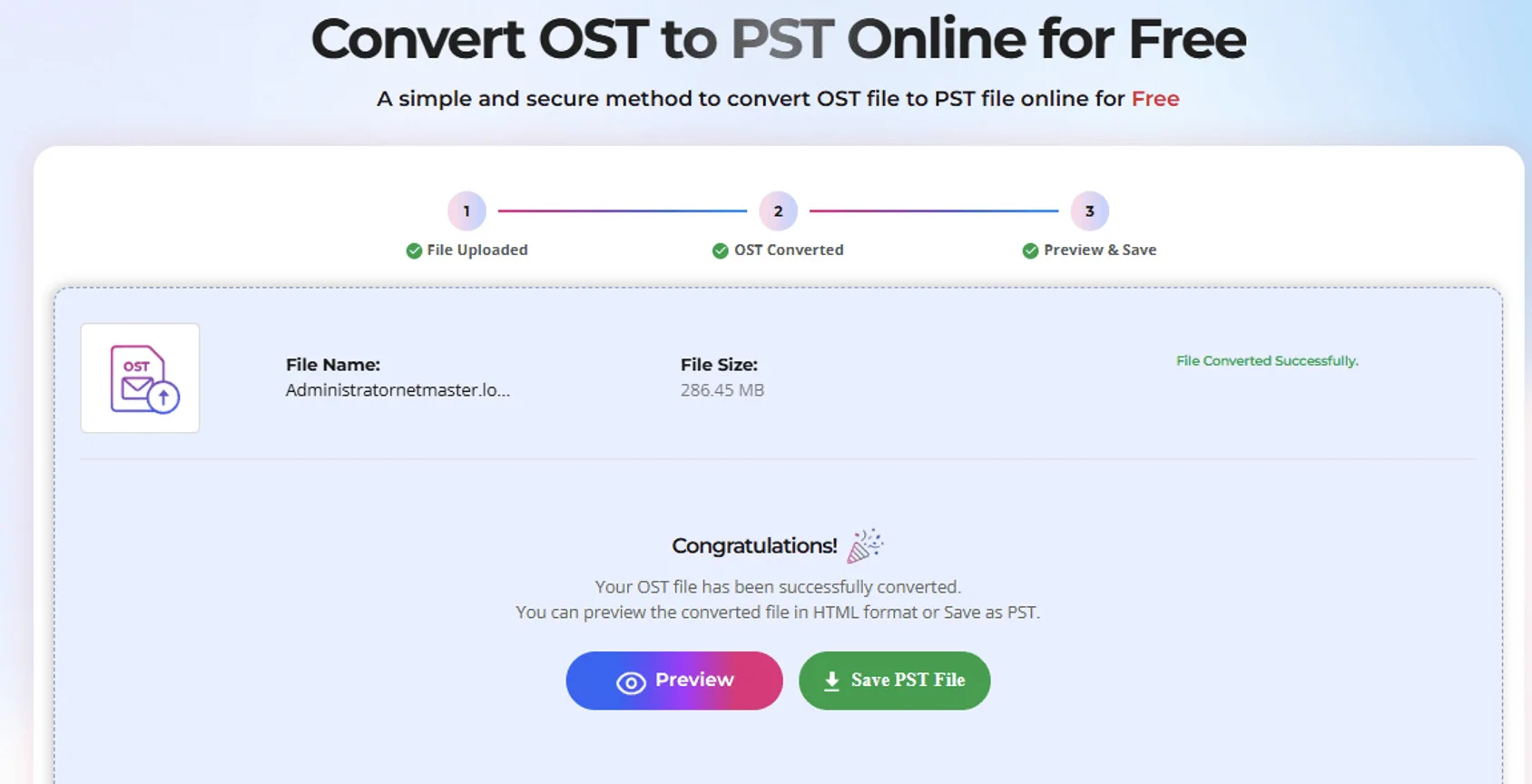
5. Download the PST File
Once file is converted, preview or download the resulting PST file to your computer.
You can then open or import the PST using Outlook, depending on your requirements.
Online Conversion in Brief
Upload the OST file → Start conversion → HTML Preview of mailbox → Download the PST file
An online OST to PST converter is therefore a practical choice when convenience and a no-install workflow are the main priorities.
When Does a Desktop Tool Make More Sense?
The desktop tool Stellar Converter for OST is more appropriate when you need to handle larger or more complex conversion tasks.
A desktop solution can be useful when:
- The OST file is large.
- You need to process multiple files.
- The OST file is inaccessible, orphaned, encrypted, or associated with an unavailable profile.
- You need more control over which mailbox items are exported.
- You need multiple output formats in addition to PST.
- You need to export data directly to Microsoft 365 or another destination.
Desktop Tool can also provide additional options for previewing mailbox data, filtering items, splitting large PST files, and managing the conversion locally.
For organizations, IT administrators, and users working with large mailboxes, these additional controls can make a desktop Tool more practical than an online workflow.
For simple personal conversions, an online service may be sufficient. For business migrations involving multiple mailboxes, large OST files, or administrative requirements, the desktop tool with Microsoft 365 export or migration capabilities will be more suitable.
Online or Desktop: Which Option Fits the Job?
| Factor | Online Converter | Desktop Converter |
| Installation | No installation required | Requires software installation |
| Convenience | Quick and browser-based | Requires a few setup steps |
| File handling | Suitable for supported file sizes | Better suited to larger files |
| Multiple files | Not Supported | More suitable for batch processing |
| Preview | Shows HTML Preview | Usually provides detailed preview |
| Advanced conversion options | limited | Generally more extensive |
| Microsoft 365 migration | Not Supported | More suitable for advanced requirements |
| Best for | Quick, simple conversions, small OST files general up to 5GB | Larger or more complex conversion tasks |
Neither option is universally better. The right choice depends on the OST file, the amount of data involved, and what you need to do after conversion.
Online OST to PST Converter — Pricing by File Size
| Plan | OST File Size | Price | Files | Download Availability |
| Free | Up to 500 MB | $0 | 1 file/session | 24 hours |
| Premium | 500 MB – 5 GB | $29.99 | 1 file | 48 hours |
| Desktop | Above 5 GB | From $79 | Up to 5 files | Unlimited local access |
What Should You Consider Before Converting OST to PST?
Before starting the conversion, consider the following:
File Size
Check the size of the OST file and whether the online service supports it. Larger mailboxes may be easier to process using a desktop application. Stellar’s Online OST Converter supports OST files under 500 MB on the Free plan and files up to 5 GB on the Premium plan. For larger OST files, the Desktop Edition has no file-size limit, making it more suitable for large mailboxes.
Accessibility
Online OST to PST converter by Stellar can convert OST files even when the original Outlook profile or Exchange Server is unavailable. No Outlook or Exchange connection exchange is required.
Data Requirements
Decide what you actually need to convert. If you only need emails, your requirements may be different from a complete mailbox migration involving contacts, calendars, tasks, and attachments.
Privacy and Security
If the mailbox contains confidential or business-sensitive information, review how the conversion service handles uploaded files and data before choosing an online solution.
Destination
Think about where the converted data needs to go. If you simply need a PST file for Outlook, a basic conversion may be enough. If you are moving data to Microsoft 365 or another business environment, you may need a more comprehensive desktop solution.
Conclusion
Converting OST to PST can be done through either an online service or desktop software. Online conversion is convenient when you need a quick, browser-based solution without installing additional software. A desktop converter is generally more suitable when working with larger mailboxes, multiple files, inaccessible OST files, or more advanced migration requirements.
Before choosing an option, consider the OST file size, accessibility, data requirements, privacy considerations, and final destination. This will help you select the conversion method that best fits your situation.


