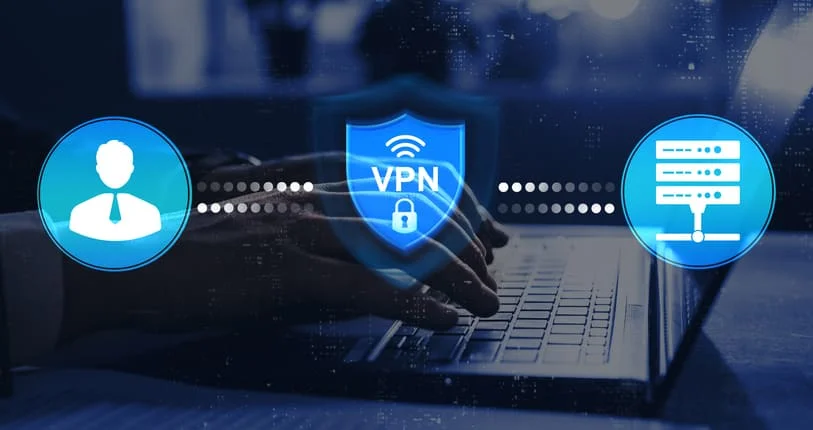
The word “tunnel” gets used a lot in VPN marketing, usually alongside phrases like “military-grade encryption” and “unbreakable security.” Strip the marketing away, and what remains is a genuinely interesting piece of engineering that most people use daily without fully understanding. That is not a criticism — most people do not understand how a combustion engine works either, and they drive just fine. But understanding what a VPN tunnel actually does can help you use one more intelligently.
So here is an honest explanation, without the superlatives.
How data actually travels across the internet
When you load a webpage, send a message, or stream a video, your device breaks that request into small units called packets. Each packet contains a piece of your data, plus addressing information: where it is coming from, meaning your IP address, and where it is going. Those packets travel through a series of routers and servers before they reach their destination, reassemble, and deliver whatever you requested.
At every point along that journey, the packets are, in principle, observable. Your internet service provider can see them. Anyone monitoring the network can see them. The metadata — which server you are communicating with, how often, and for how long — is visible even when the content itself is encrypted. This is the baseline reality of how the internet moves information. It was designed for reliability and interoperability, not privacy.
A VPN tunnel changes the journey. Instead of your packets travelling openly through the network, they are encrypted on your device before they leave, wrapped inside new packets addressed to a VPN server, and sent through an encrypted channel — the tunnel — to that server. The VPN server then unwraps them, reads the original destination, and forwards the request on your behalf. From the perspective of anyone watching the network path between your device and the VPN server, they see only that you are communicating with a VPN server. The content and ultimate destination are hidden inside the encrypted wrapper.
The three things a tunnel actually does
It helps to think of a VPN tunnel as doing three distinct things simultaneously, each of which matters for different reasons.
First, the handshake. When your device connects to a VPN server, the two exchange encryption keys using asymmetric cryptography — a process that lets both parties establish a shared secret without sending that secret across the network where it could be intercepted. This negotiation takes milliseconds and establishes the foundation of the secure session.
Second, the encryption. Once the session is established, your actual data is encrypted using symmetric algorithms — AES-256 or ChaCha20, depending on the protocol — before it enters the tunnel. This transforms readable data into ciphertext that requires the session key to reverse. Without that key, the data is computationally impractical to read.
Third, integrity verification. Each packet that travels through the tunnel carries a cryptographic signature confirming it arrived unmodified. If a packet is tampered with in transit — altered, injected, or corrupted — the verification check fails and the packet is discarded. This is what helps prevent man-in-the-middle attacks from succeeding, even when someone can observe the tunnel traffic.
Why the protocol running the tunnel matters
Not all tunnels are built the same way, and the protocol powering them determines the trade-offs between speed, security, and stability. In 2026, the dominant choice for most users and many VPN providers is WireGuard, which is worth understanding briefly.
OpenVPN, the previous standard, has a codebase of more than 600,000 lines. WireGuard, which was merged into the Linux kernel in 2020 and has since become the default protocol for many major VPN services, does the same job in approximately 4,000 lines. Linus Torvalds, the creator of Linux, called it “a work of art” when reviewing the code — not the kind of endorsement the Linux kernel community gives lightly.
“Maybe the code isn’t perfect, but I’ve skimmed it, and compared to the horrors that are OpenVPN and IPSec, it’s a work of art.” — Linus Torvalds, 2018
The practical implication of that simplicity is significant. A smaller codebase is easier to audit for vulnerabilities, faster to run, and more efficient on battery — particularly relevant on mobile devices, where OpenVPN’s higher CPU overhead can translate directly to battery drain. In independent speed testing, WireGuard consistently delivers 85–95% of baseline internet speeds, while OpenVPN typically achieves 70–80%. That gap matters for streaming, video calls, and anything latency-sensitive.
To understand more about how VPN tunnel mechanics work at a deeper level — including how modern protocols handle the handshake process and key exchange — it is worth reading a technical breakdown before deciding which protocol configuration suits your needs.
The gap that most users do not think about
This is where engineering runs up against practical reality. A VPN tunnel provides protection only while it is active and stable. On a mobile network, in a busy public space, or anywhere signal quality fluctuates, VPN connections can drop. When they do, one of two things happens: either the device fails gracefully by blocking all traffic until the tunnel re-establishes, or it fails silently, reverting to sending packets openly across the network while you continue browsing, unaware that the protection has lapsed.
This is why a kill switch is not a luxury feature but a logical requirement for anyone using a VPN in variable network conditions. Without it, the tunnel’s protection depends on a stable connection that mobile and public networks do not reliably provide. The gap between a VPN dropping and reconnecting — seconds, sometimes longer — is enough to expose session tokens, credentials, and traffic patterns that the tunnel was meant to protect.
Trying it without any technical setup
Understanding how a VPN tunnel works is useful. Actually using one is more useful. The barrier that stops many people is not cost or complexity — it is inertia, and the assumption that setting up a VPN requires technical knowledge they do not have.
It does not. A free VPN that requires no account registration — like X-VPN on iOS, which offers 26 free server regions with no data cap and a kill switch included — removes two common barriers at once: cost and setup friction. You tap connect, the tunnel establishes, and the three-phase process described above starts happening automatically in the background, without requiring you to configure anything or understand the protocol layer to benefit from it.
The technology is sophisticated. The experience of using it does not have to be. That gap between complexity under the hood and simplicity at the surface is one of the more underrated achievements of modern VPN software.