Every company with a sales team, a product org, or a customer success function is sitting on a large and mostly untouched pile of data: its meetings. Discovery calls, roadmap discussions, renewal conversations, user interviews. The recordings and transcripts exist, often by the hundreds, and almost none of it gets used after the meeting ends. The information is captured but not reachable, which for a data-driven organization is a strange place to be.
A standard called MCP is starting to change that, and it’s worth understanding what it actually does before the hype gets ahead of it.
What MCP Is and Why It Showed Up
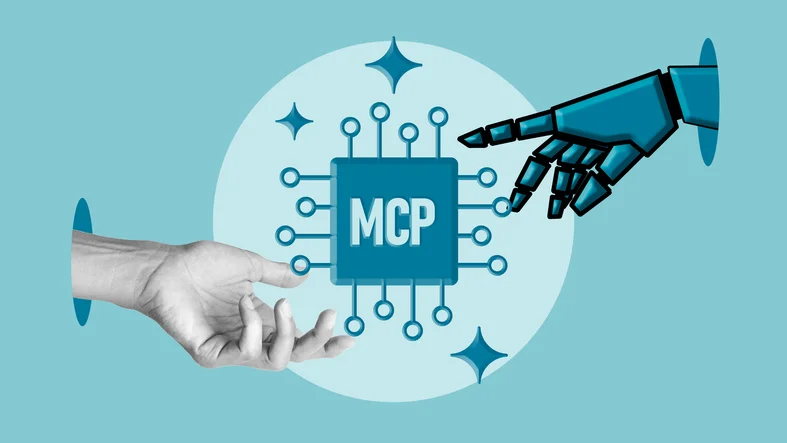
MCP stands for Model Context Protocol. It’s an open standard that gives AI assistants a consistent way to connect to external tools and data sources. The problem it solves is a familiar one for any engineering team that has built integrations. Historically, every pairing of an AI model with an external system needed its own custom connector, its own auth handling, its own maintenance. That work scaled badly, so most of those integrations simply never got built.
MCP replaces the one-off approach with a shared interface. A system exposes its data and actions through an MCP server, and any assistant that speaks the protocol can connect to it without a bespoke build. For teams evaluating AI tooling, that shift matters because it lowers the cost of connecting an assistant to the systems where your actual work lives.
Why Meetings Are a High-Value Place to Apply It
Meeting data has properties that make it both valuable and awkward. It’s dense, it’s unstructured, and it holds context that exists nowhere else. The real reason a deal slipped, the feature a customer asked for three separate times, the objection that keeps surfacing across a quarter of calls. That information is in the transcripts, but it’s locked behind hours of playback nobody will sit through.
Once a platform exposes its call data through MCP for meetings, that archive becomes queryable in natural language through the assistant your team already uses. You can ask which open opportunities mentioned a specific competitor, or what a given account said about budget across every call this year, and get an answer built from the transcripts rather than from someone’s memory. The recordings stop being a compliance artifact and start being a source you can interrogate.
Use the Assistant Your Team Already Runs
Most meeting tools ship their own built-in AI, a chat box that answers questions about your calls. It works, but only inside that tool. Your meeting data stays walled off from everything else, and your team picks up yet another AI interface to learn.
MCP flips that arrangement. Instead of the meeting tool’s captive assistant, you point the general assistant your team already relies on at the meeting data. Support is strongest with Claude, which has the most complete MCP implementation. ChatGPT added Model Context Protocol support through custom connectors on a remote-first model. Gemini has begun opening up with custom MCP access, though its client support is still catching up to the other two. The direction across all three is the same, and the practical takeaway is that you are not forced into a single vendor’s chatbot to get value from your calls.
The bigger win is context. When your meeting record sits behind the same assistant that already reaches your CRM, your docs, and your ticketing, the assistant can reason across all of it at once. A question like “which accounts raised pricing concerns on calls and still have an open renewal” pulls from two sources in one answer, instead of you stitching it together by hand. The meeting archive stops being a silo and becomes one more context source in a workspace the assistant can see whole.
What Access Looks Like in Practice
The practical value shows up across a few roles at once.
A sales leader can pull recurring objection patterns across a month of demos without manually reviewing calls. A product manager can trace how customer language around a feature has shifted over two quarters. A CS team can surface every account that raised a concern before a renewal, instead of hoping the right note was written down. None of that requires exporting data or building a pipeline. It’s a question typed into an assistant that now has scoped access to the meeting record.
Because the connection runs through the protocol rather than a fragile custom script, it also holds up better over time. When the assistant or the meeting tool updates, the interface between them stays stable, which is the whole point of standardizing on one.
The Governance Questions Worth Asking First
This is newer than the marketing suggests, so a few things deserve scrutiny before you roll it out.
Access scope is the first. A well-built MCP server should only expose data the requesting user already has permission to see, not the entire organization’s meeting history. Confirm how that boundary is enforced rather than assuming it, because meeting content often includes sensitive commercial and personal information.
Data handling is the second. You’re routing customer conversations through an AI assistant, so you need clear answers on where that data is processed, whether it’s retained, and whether it’s used for model training. Reputable providers document this plainly. If those answers are hard to find, treat that as a signal in itself.
Plan and licensing is the third. MCP access on the assistant side often sits behind a paid tier, so factor that into any rollout you’re scoping rather than discovering it mid-pilot.
None of these are blockers. They’re the standard diligence you’d apply to any tool touching customer data, and they’re worth doing before the convenience makes the decision for you.
Where This Fits in a Longer Arc
The interesting part isn’t a single feature. It’s that a category of data your organization already collects, and pays to store, is moving from inert to usable. Meeting records join the set of systems an AI assistant can reach directly, alongside your CRM, your docs, and your ticketing. The value compounds as more of those connections come online, because the assistant can start reasoning across them rather than one silo at a time.
For teams already investing in AI internally, meeting data is one of the higher-return places to point that investment, precisely because the raw material is sitting there unused. The setup is modest. The payoff is turning every past conversation into something you can actually ask a question of.