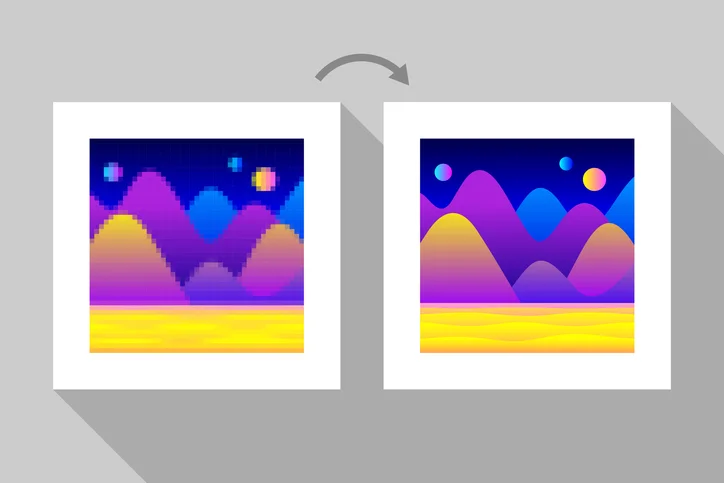
Old photos carry memories that are hard to replace. Time often damages these physical prints with dust, cracks, and fading. You need a way to fix these issues without ruining the original feel. Many people now turn to an AI Photo Enhancer to handle these tasks automatically. This technology looks at the pixels and guesses what is missing to create a clearer image.
Restoring a vintage photo is not just about making it bigger. It is about bringing back the details that time took away. You might have a small, grainy picture of your grandparents that you want to print as a large poster. A simple resize will just make the grain bigger and uglier. You need a tool that understands how to rebuild the texture of skin, clothes, and backgrounds.
Sometimes you might find old digital scans that have logos or text on them. It is helpful to know how to remove watermark from image files before you start the restoration process. Getting a clean base image makes the rest of the work much easier for any software. You want the focus to stay on your family members, not on some old stamp or text left by a scanning service.
AI Upscaling Overview
AI upscaling uses a type of technology called neural networks. These systems have looked at millions of high quality photos to learn what objects should look like. When you give the AI a blurry vintage photo, it compares the blur to its database. It then adds new pixels that match the patterns it has learned. This process happens in a few seconds and requires almost no work from you.
The main goal of AI upscaling is to increase resolution while improving clarity. Traditional resizing just stretches the existing pixels. AI actually creates new information. If a person’s eye is just a dark smudge in an old photo, the AI recognizes it as an eye. It then draws a sharp iris and eyelashes where the smudge used to be. This makes the photo look like it was taken with a much better camera.
Key Features of AI Upscaling
AI tools often come with specific features for old photos. One major feature is face restoration. This tool focuses specifically on human features to make sure they look natural. Another feature is noise reduction. Vintage photos often have a lot of film grain or digital noise from old scanners. The AI can smooth out these areas without losing the sharpness of the main subject.
Most AI upscalers also include automatic colorization. They can look at a black and white photo and guess the colors of the grass, the sky, and the skin. While it is not always 100 percent accurate, it provides a great starting point. You can also find tools that fix scratches and tears in the paper automatically. This saves you from having to click on every single tiny white line in the image.
Pros and Cons of AI Upscaling
The biggest benefit of AI is speed. You can upload a photo and get a restored version back in less than a minute. It is also very easy to use. You do not need to take a class or watch hours of videos to understand how it works. Most of the time, you just click one button and the software does the rest. It is perfect for people who have hundreds of photos to fix.
However, AI has some downsides. Sometimes it can make a photo look too perfect or plastic. If the AI does not understand a specific detail, it might turn a button on a jacket into a weird blob. You also have less control over the final look. If you do not like how the AI fixed a specific part of the face, you usually cannot change just that one spot. You have to accept the whole image as it is.
Best For
AI upscaling is best for people who want fast results. If you have a large box of family photos and you want to put them on a digital frame, AI is the way to go. It is also great for beginners who are not comfortable using complex editing software. If the photo is mostly clear but just needs to be larger and sharper, AI will do a great job.
Adobe Photoshop Overview
Adobe Photoshop has been the standard for photo editing for over thirty years. It is a professional tool used by photographers and historians to fix old images. Unlike AI tools, Photoshop does not do the work for you. It gives you a massive toolbox of brushes, filters, and layers. You are the one in charge of every single change made to the photo.
Photoshop works by allowing you to stack changes on top of each other. These are called layers. You can fix the scratches on one layer and change the colors on another. This means you never ruin the original image. If you make a mistake, you can just delete that layer and try again. This level of control is why professionals still prefer it over most automatic tools.
Key Features of Photoshop
The most important tool for vintage photos in Photoshop is the Clone Stamp. This allows you to pick a clean part of the photo and paint it over a damaged part. If there is a tear across someone’s forehead, you can copy the skin from a clean area and hide the tear perfectly. The Healing Brush is another great tool. It blends the colors and textures automatically to make the fix look invisible.
Photoshop also has advanced color correction tools. You can use Levels and Curves to bring back the contrast in a faded photo. If the photo has turned yellow over time, you can use Color Balance to make the whites look white again. Recent versions of Photoshop have added some AI features called Neural Filters. These can help with things like smoothing skin or colorizing, but they still give you sliders to adjust the intensity.
Pros and Cons of Photoshop
The main advantage of Photoshop is total control. You can decide exactly how much grain to keep and how sharp the edges should be. You can fix specific problems that an AI might miss, like a missing piece of a person’s ear or a complex background pattern. The results often look more authentic because you are preserving the original soul of the photo while just removing the damage.
The downside is the learning curve. Photoshop is very hard to learn. It can take months of practice to become good at photo restoration. It is also a slow process. Fixing one badly damaged photo can take several hours of manual work. Finally, Photoshop requires a monthly subscription. This can be expensive if you only have a few photos to fix and do not plan on using the software for anything else.
Best For
Photoshop is best for high value photos that need a lot of care. If you have a one of a kind wedding photo of your great grandparents, you should probably use Photoshop. It is also the right choice for people who enjoy the process of editing. If you want a result that looks 100 percent natural and professional, the manual tools in Photoshop are still the best in the world.
Side by Side Comparison
To help you choose, here is a look at how these two options compare across different categories.
|
Category |
AI Upscaling |
Adobe Photoshop |
| Processing Speed | Seconds | Hours |
| Skill Required | None | High |
| Manual Control | Very Low | Very High |
| Batch Processing | Excellent | Poor |
| Authenticity | Can look artificial | Very natural |
| Cost | Low or Free | Monthly Subscription |
| Hardware Needs | Low | High |
Final Recommendation
Choosing between AI upscaling and Photoshop depends on your goals and your time. If you have a massive collection of photos and you want to see them clearly without spending your whole weekend working, use an AI tool. The technology has improved so much that most people will be very happy with the results. It is the most efficient way to handle bulk restoration projects.
If you have a single photo that is very important to your family history, Photoshop is the better choice. You can take your time to fix every crack and ensure the colors are perfect. You might even want to use both. You can start by using AI to upscale the image and then bring it into Photoshop to fix any small mistakes the AI made. This hybrid approach gives you the speed of modern tech with the precision of a professional artist.
For most casual users, the AI route is the winner. It removes the barrier of entry and lets anyone preserve their history. You don’t need to be a tech expert to save your memories. Just find a good tool, upload your file, and enjoy the clear view of the past. If you find that the AI is not giving you exactly what you want, you can always hire a professional who uses Photoshop to do the heavy lifting for you.
Disclaimer: This article contains sponsored marketing content. It is intended for promotional purposes and should not be considered as an endorsement or recommendation by our website. Readers are encouraged to conduct their own research and exercise their own judgment before making any decisions based on the information provided in this article.