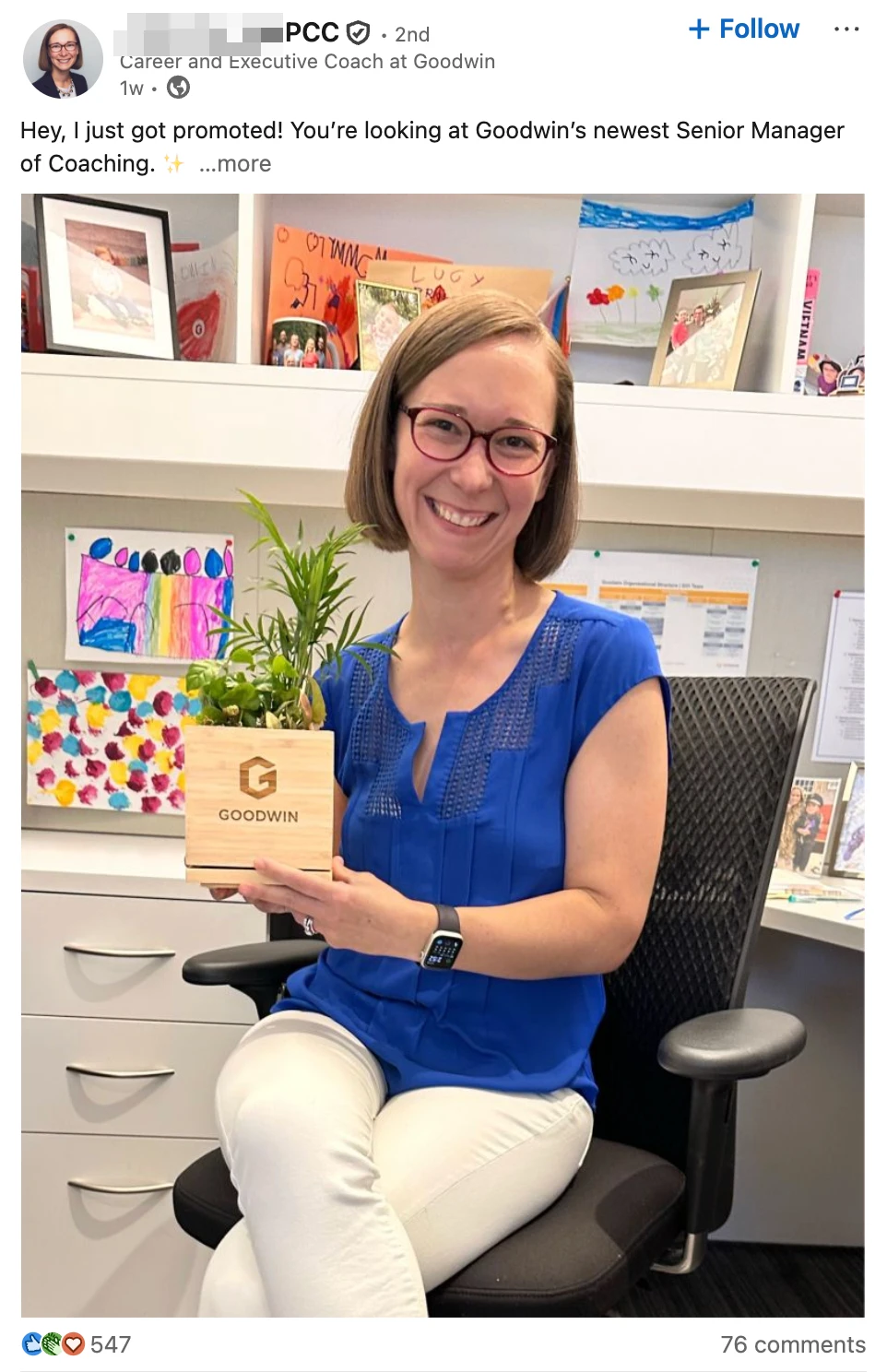
Congrats on your promotion! That’s a huge win!
If you’ve just earned a new role and want to know how to add your promotion on LinkedIn, and more importantly, how to make it stand out, this quick guide has you covered.
But here’s the thing: How you announce it on LinkedIn is just as important as the promotion itself. The right formatting can make your post stand out in the feed, grab attention instantly, and highlight your biggest achievements at a glance.
Meanwhile, without the right formatting, your post might flop without getting any engagement.
So, in this quick guide, I’ll be covering exactly why formatting matters, how to bold and highlight text, how to format your promotion post for maximum engagement, and then – how to use automation tools like Expandi to get the most out of all this with outreach.
From formatting tricks to the best tools for styling your updates, you’ll learn how to make your promotion look polished, professional, and impossible to scroll past.
Why Formatting Matters When Announcing a Promotion on LinkedIn
Content is only half of the equation when announcing your promotion on LinkedIn.
Presentation is what gets people to read it all the way through.
The psychology behind this is simple: Our brains are wired to scan. On LinkedIn, users decide in seconds whether your post is worth their attention, let alone reading all the way through.
Every day, people scroll past hundreds of posts. Your audience, whether it’s recruiters, peers, or potential clients, spend only a few seconds deciding whether to stop and read or keep scrolling.
This is where formatting makes all the difference.
A well-formatted post makes your announcement post easier to skim, more professional, and far more engaging. It’s the difference between getting a polite “congrats” and getting people to engage in conversations and new opportunities.
So that’s:
- Making your key achievements pop.
- Guiding readers visually.
- Looking more professional and confident.
- Helping recruiters and clients skim faster.
How to Bold Text in a LinkedIn Post (The Easiest Way)
LinkedIn doesn’t support bold or italic text in its native post editor. Only in LinkedIn Articles, where you can use full formatting (headings, quotes, bold, italics, etc.).
You CAN sometimes also copy bolded text from Google Docs or Word, but it doesn’t always carry over correctly.
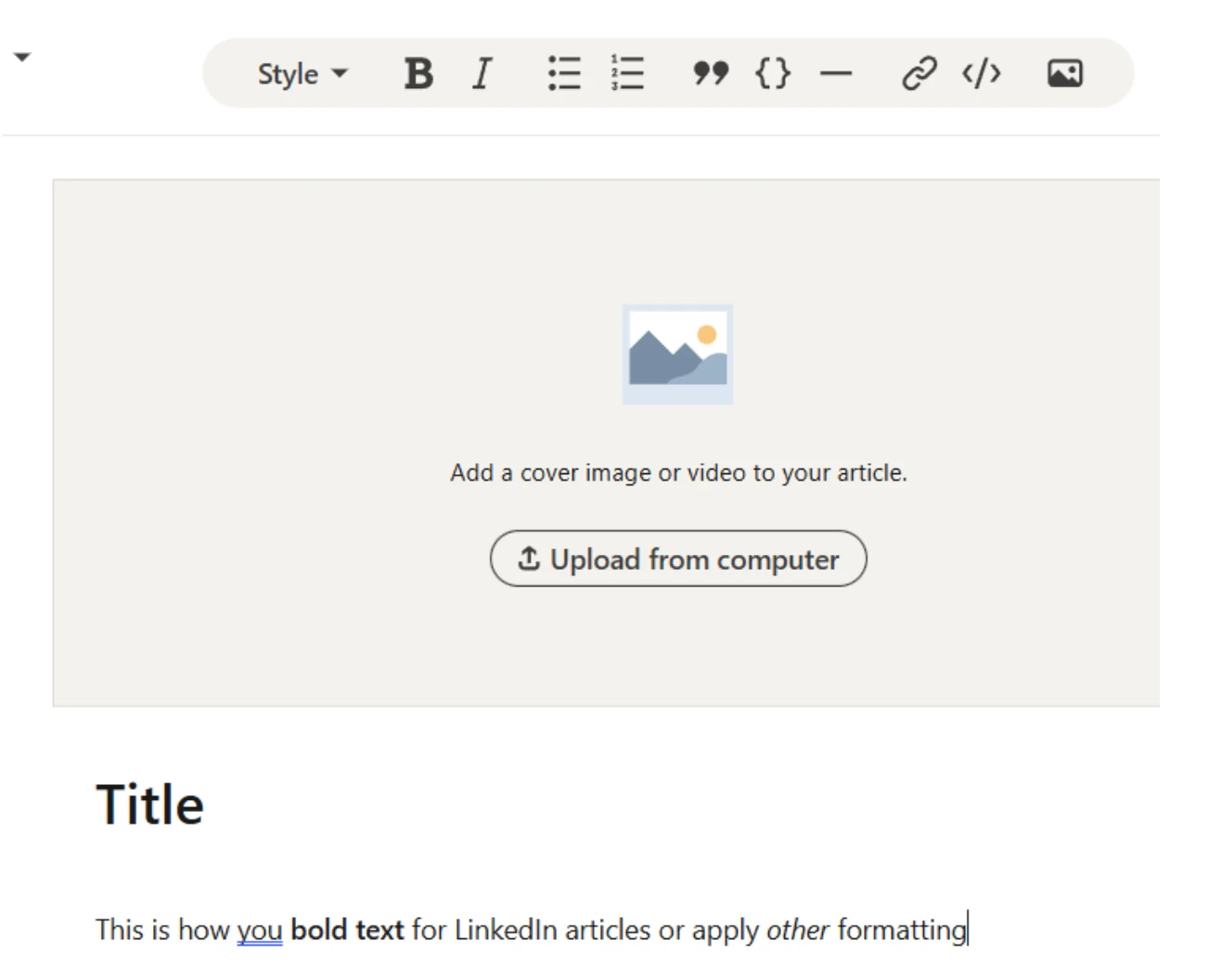
That said, if you’re wondering how to bold text in LinkedIn posts…
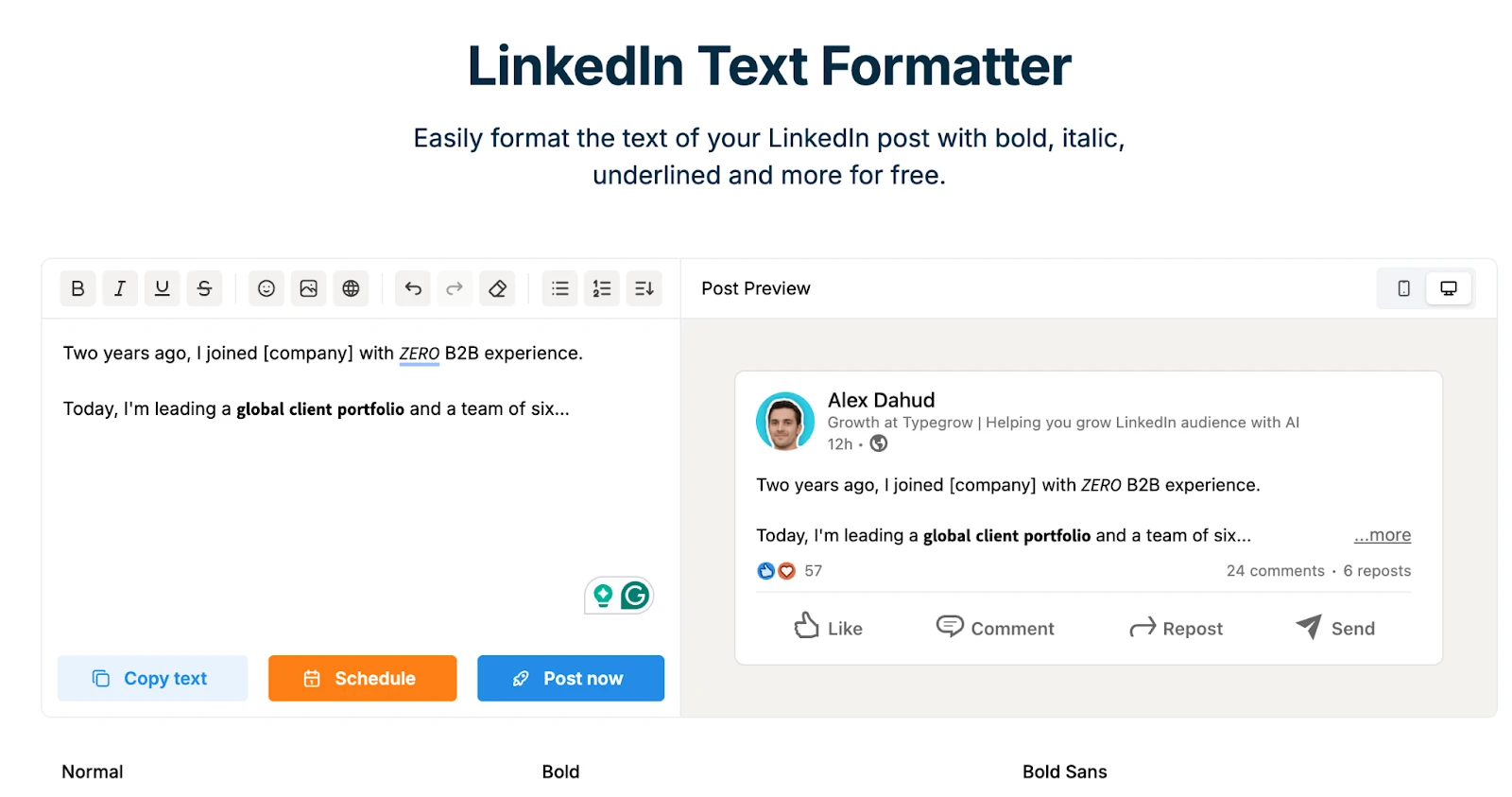
By far, the easiest way to do so is through third-party, LinkedIn text formatter tools like Typegrow or Taplio. Here’s how:
- Go to the formatter’s site.
- Write up your LinkedIn post text.
- Apply bold, italic, or other simple styles to highlight your promotion details (e.g. new title, results, achievement, etc.). Though, for most posts, bold and italics are all you’ll need. You don’t want to overdo your posts with fancy formatting.
- Then, use the built-in preview to see exactly where your post will get cut off for “see more”.
- Finally, copy the formatted version back into LinkedIn and post as usual.
Now that you know HOW to bold text in a LinkedIn post, the next step is knowing WHAT to bold and WHERE.
How to Format Your Promotion Post for Maximum Impact
Bold text only works if it draws attention to your most valuable details, not random phrases.
Here’s how to format your promotion post strategically.
1. Start with a strong opening line
Your promotion post is all about your transformation. Start with one short line of context:
“From marketing associate to marketing manager at [@Company]!
In just two years, I helped increase inbound pipeline by 87%…”
2. Highlight achievements and milestones
After your hook, keep the momentum going by showing WHY you earned that promotion.
“These past two years have been full of challenges, experiences, and late nights learning what drives growth.
From rebuilding our inbound process to aligning sales and marketing… Every lesson helped shape this next chapter.”
3. Add a gratitude and forward-looking close
Finally, end your promotion post on a high note. This is where you thank the people who helped you and share what’s next.
“Huge thanks to everyone at [@Company] who’s been part of this journey. Mentors, teammates, and friends who pushed me to grow every single day.
Excited to take everything I’ve learned into this new role and keep building what’s next.
If you’ve gone through a similar transition or have advice for stepping into this new role – I’d love to hear your thoughts in the comments. 👇”
Now, let’s say your promotion post did well and got a ton of engagement. Here’s what to do next.
How You Can Use Expandi to Make More People See Your Promotion Post and Boost Your Engagement
Promotion posts often perform really well on LinkedIn. They naturally attract likes, comments, and profile visits. Because people genuinely want to celebrate wins and milestones.
That initial traction has a lot of potential. Every interaction can be a potential warm lead, new connection, or client opportunity. You just have to act quickly before the momentum fades.
This is where LinkedIn tools like Expandi can help. Instead of manually following up with everyone who engaged with your post, Expandi automates that process safely. So you can turn reactions into relationships and conversations.
Here’s how you can use this to your advantage:
- Connect with people who liked or commented – Automatically send connection requests to people who engage with your promotion post but aren’t yet in your network.
- Set up smart follow-ups – Send a personalized “thank you” message or start a conversation with warm leads, directly mentioning your new role.
- Re-engage profile visitors – Launch profile-visit campaigns to get on your prospects’ radar that you’re open to new opportunities or collaborations.
- Keep visibility high – Finally, use Expandi’s analytics to track engagement patterns, your social selling index, and find similar people to connect with based on your post’s audience.
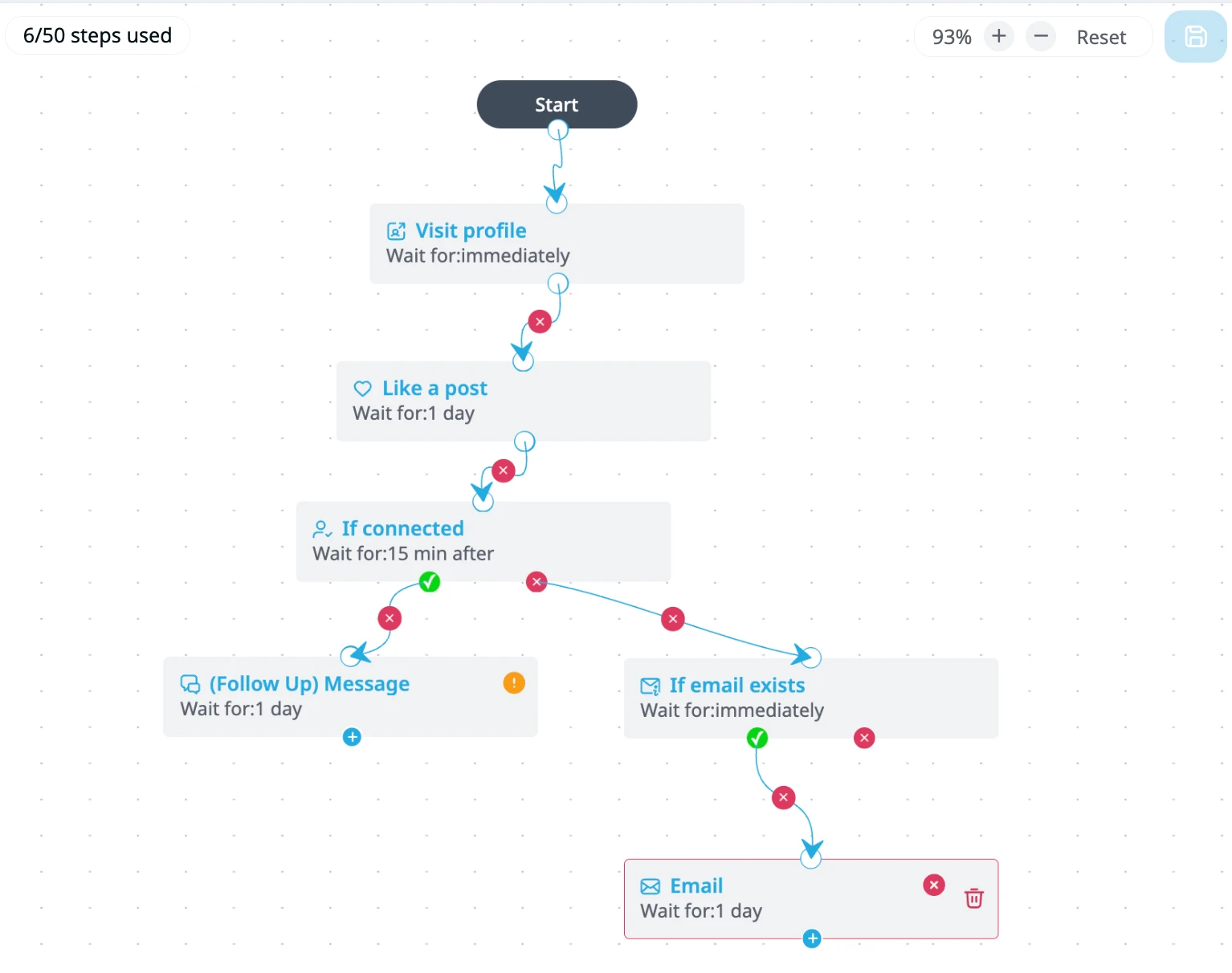
In short, Expandi helps you capitalize on your promotion post’s buzz and turn one viral moment into lasting growth and new connections. Expandi works through smart, drag-and-drop Actions and Conditions. So, you can always set up your campaign based on your objective accordingly.
Recap
Congrats again on your promotion!
As you might have guessed by now, announcing it on LinkedIn is a great opportunity for networking, starting conversations, and showcasing your growth.
So, the next time you’re thinking about how to bold text in a LinkedIn post to highlight your promotion, be sure to remember the strategy behind all this.
Here’s a simple approach for that:
- Format your posts so that they’re easy to read and skimmable.
- Use bold text to highlight your title, results, or next steps. And use italics to emphasize emotion or reflection.
- Reply to every comment you get to boost your reach even more. And finally, use tools like Expandi to start conversations and grow your network at scale automatically.
The photos in the article are provided by the company(s) mentioned in the article and are used with permission.
Disclaimer: This article contains sponsored marketing content. It is intended for promotional purposes and should not be considered as an endorsement or recommendation by our website. Readers are encouraged to conduct their own research and exercise their own judgment before making any decisions based on the information provided in this article.