Our contemporary fast-paced society thrives on effective and quick communication. The ability to instantly transmit messages can increase safety, efficiency, and accessibility whether in public areas, companies, hospitals, or classrooms. Although conventional audio paging setups have been extensively applied, they have certain drawbacks, especially for those with hearing problems or in busy surroundings.
To fix this, visual messaging systems were developed. By displaying important messages on screens rather than broadcasting them over loudspeakers, a visual paging system offers a contemporary solution. A visual paging system guarantees that, despite background noise or auditory limitations, information reaches the intended audience. We will discuss in this post the information you need to know regarding this system.
Visual Paging System Explained
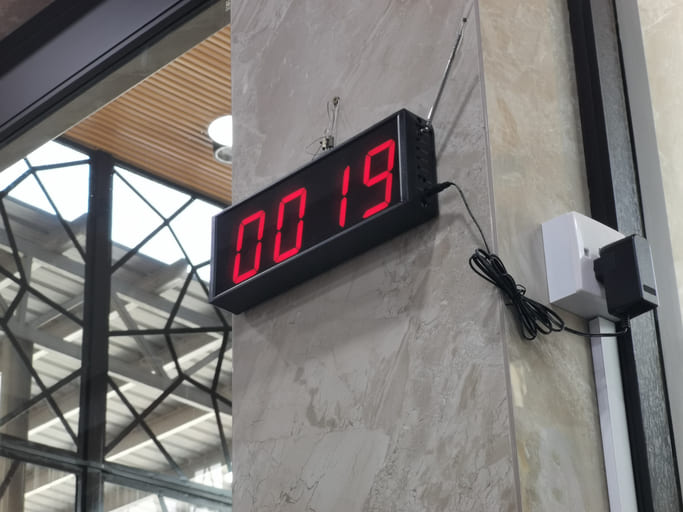
This is a tool for communication whereby messages are sent via digital displays, LED boards, or monitors. It is sometimes used to improve message delivery in concert with audio paging systems. It guarantees that important information is still received in settings where audio notifications might not be efficient.
These systems can be set to show scheduled reminders, general announcements, and emergency alerts, among other kinds of communications. For mass communication, certain sophisticated visual paging systems also integrate with email notifications and smartphone apps. All of these features enhance the efficiency of these systems.
How a Visual Paging System Functions
This device usually has these components:
- Display Units: Strategically positioned digital signage systems, LCD screens, or LED boards in crucial areas.
- Control Software: Designed to manage messages, this central system determines where and when they should be displayed.
- Integration with Other Systems: Many can link with public address (PA), security systems, and fire alarms to create a seamless communication network.
- User Input Devices: Messages can be manually entered into computers, tablets, or preprogrammed to display at specific times.
The system sends information from authorized staff members to assigned display screens. This ensures that messages appear in the right places, and at the right time.
Benefits of a Visual Paging System
The following are some of the benefits of a visual paging system:
- Enhanced Communication in Noisy Environments: The capacity of a mode of messaging to operate efficiently in noisy environments is among its key benefits. Background noise in factories, airports, and retail centers sometimes makes audio announcements difficult to hear. This innovation ensures that messages on screens are readily displayed and noticeable.
- Accessibility for the Hearing Impaired: Conventional paging systems exclude those with hearing problems. You can visit https://www.msdmanuals.com/ to learn how to manage hearing loss. For everyone, including those who depend on text-based communication, a visual paging system makes information easily accessible.
- Reduces Noise Pollution: Too much noise can be irritating and distracting in buildings including businesses, libraries, and hospitals. By removing the need for loud announcements, this purely visual notification ensures a quieter and more focused environment.
- Customizable Message: Users can display a range of messages from simple text alerts to complex graphics. Customization guarantees that several kinds of messages, such as directional guidance, promotional material, or emergency alerts are clearly expressed.
- Integration with Emergency Systems: Many visual paging systems integrate with emergency notification systems. Messages can be immediately shown on all screens in case of a fire, security danger, or natural disaster, thereby directing individuals on what to do.
Where is it Used?
These systems are used in the following places:
- Healthcare Facilities & Hospitals: This can help hospitals send notices to staff, provide direction to patients, and declare crises or warn about emergencies. These solutions guarantee that important data gets to the right individuals immediately and help to simplify processes.
- Educational Institutions: Visual paging systems help colleges and universities provide class schedules, emergency alerts, and event reminders. This improves organization and safety.
- Airports and Transportation Hubs: Flight updates, security alerts, and boarding data are displayed in crowded transportation hubs. It lets passengers stay informed without depending just on audio announcements.
- Commercial and Retail Spaces: It is also used in retail businesses and shopping centers for emergencies, directional guidance, and promotions. This educates shoppers and enhances customer experience.
- Industrial and Manufacturing Settings: Visual paging systems are used in warehouses and factories to communicate emergency alerts, shift changes, and safety instructions. Given the often-loud nature of these environments, messages that can be seen ensure that employees get critical updates.
Factors to Consider When Implementing a Visual Paging System
Before implementing a visual paging system, you need to consider these factors:
- Screen Placement: Effective messaging depends on displays being in highly visible locations. Screens should be positioned at eye level and in areas where heavy foot traffic passes through.
- Integration with Current Systems: A new visual paging system should ideally fit very well with current communication technologies. This includes security networks, public address systems, and fire alarms.
- Ease of Use: The system should be easy to use so staff members may send and handle communications free from technological problems. Training sessions can teach staff members effective system operation.
- Cost Considerations: Cost varies based on features, display size, and integration capability. Companies should review their budgets and select a solution that satisfies their needs free from needless costs.
- Security Measures: Security protocols ought to be followed to prevent illegal access or usage. You can read this article to learn how to improve building security. Role-based access control ensures that communications can be sent by only authorized people.
Challenges with Visual Paging Systems
Although this public messaging option has several advantages, one needs to consider the following challenges:
- Initial Setup Costs: Digital screen purchases and installation can be costly.
- Maintenance Requirements: Screens must be routinely updated and occasionally repaired if they are to operate as intended.
- Power Dependency: Visual paging systems depend on a continuous power source, unlike traditional PA setups.
Conclusion
Modern communication can benefit a great deal from a visual paging system. It guarantees that messages reach the right people in settings where audio announcements might not be effective. From hospitals to colleges, stores, and factories, this approach improves accessibility, lower noise levels, and smoothly integrate with emergency alarms. Organizations implementing a visual paging system should take security, placement, cost, and integration into account.
Disclaimer: This article contains sponsored marketing content. It is intended for promotional purposes and should not be considered as an endorsement or recommendation by our website. Readers are encouraged to conduct their own research and exercise their own judgment before making any decisions based on the information provided in this article.